
A GenoPro alternative for Mac, Windows and Chromebook
Genogram Pro is our genogram editor for a web browser on Mac, Windows and Chromebook, with nothing to install. Below are the reasons people look for a GenoPro alternative, how to bring a genogram across in a GEDCOM file and what you redraw after the import.
Updated October 2026GenoPro details from genopro.com, checked between October 22 and October 23, 2026
Why people look for a GenoPro alternative
GenoPro 2020 is Windows software. GenoPro's FAQ says Mac users run it with CrossOver, Parallels or VMware Fusion and Linux users with Wine, and that GenoProX, a native Mac app, is still in development. On a MacBook, that is one more program to install and set up before GenoPro can be opened.
GenoPro can be used free and unregistered with up to 25 individuals. With a 14-day trial key you have the full program, and after the trial the limit of 25 individuals applies again until you buy a license for $49 per user. A free 180-day key is available for school projects.
GenoPro's AutoArrange help says the command must be used with caution, because it may produce overlapping trees and long horizontal lines, and that smaller branches should be selected rather than the entire GenoMap. GenoPro's site documents no AI features. In Genogram Pro, the whole family is arranged by generation in one click, and on the Professional plan a genogram can be drafted or edited from typed notes with the AI assistant.
GenoPro is still the better choice for some people. Choose GenoPro if you work on Windows, prefer a one-time $49 license to a subscription, or want its household outlines, Medical History Panel and HTML reports.
Sources: GenoPro's Mac FAQ, Linux FAQ, free version page, home page and AutoArrange help
Move a genogram from GenoPro
GEDCOM import in Genogram Pro is part of the Professional plan and its 7-day trial, so a family can be brought across from GenoPro without retyping it.
- In GenoPro, open the genogram and export it as a GEDCOM (.ged) file from the File menu.
- In Genogram Pro, open Import and add the .ged file. Before the import, you can choose the index person and how many generations above them to include.
- Check the imported genogram, which is arranged by generation, and add what GEDCOM has no place for.
These details are read from the GEDCOM file:
- Names and sexes, with birth and death dates
- Parents and children, including adopted and foster children when they are marked as such in the file
- Marriages, divorces, separations and engagements, with their dates
- Facts such as occupation, education and residence
Source: GenoPro's GEDCOM page
What you redraw after import
GEDCOM is a genealogy format with no standard place for emotional relationships, medical conditions or households.
After the import, you add:
- Emotional relationships, from 39 bond types such as close, fused, hostile and cutoff
- Medical conditions, from 16 built-in conditions or your own, each with a color and an onset date
- Households, drawn as an outline around their members
On the Professional plan, you can also describe these to the AI assistant in a sentence or two and check its changes on the genogram.
Other options
Other genogram tools are compared on the pages below, and the free genogram maker can be used with no account.
- Genogram Pro vs GenoProThe two side by side, with each GenoPro detail linked to the GenoPro page it was taken from.
- Genogram Pro vs CreatelyA comparison with Creately Clinical Maps, Creately's clinical genogram product.
- WinGeno alternativeFor people moving from WinGeno, a free desktop program for charting family structure.
- Best genogram softwareGenogram tools compared on who each is best for, where it runs, price, strengths and limits.
- Free genogram makerOur genogram editor in the browser, free and with no account needed.
Drawing a genogram in Genogram Pro
A couple line can be a marriage, a divorce, a cohabitation or any other of the 25 couple types, and a child line is drawn for a biological, adopted or foster child, all in McGoldrick and Gerson notation.
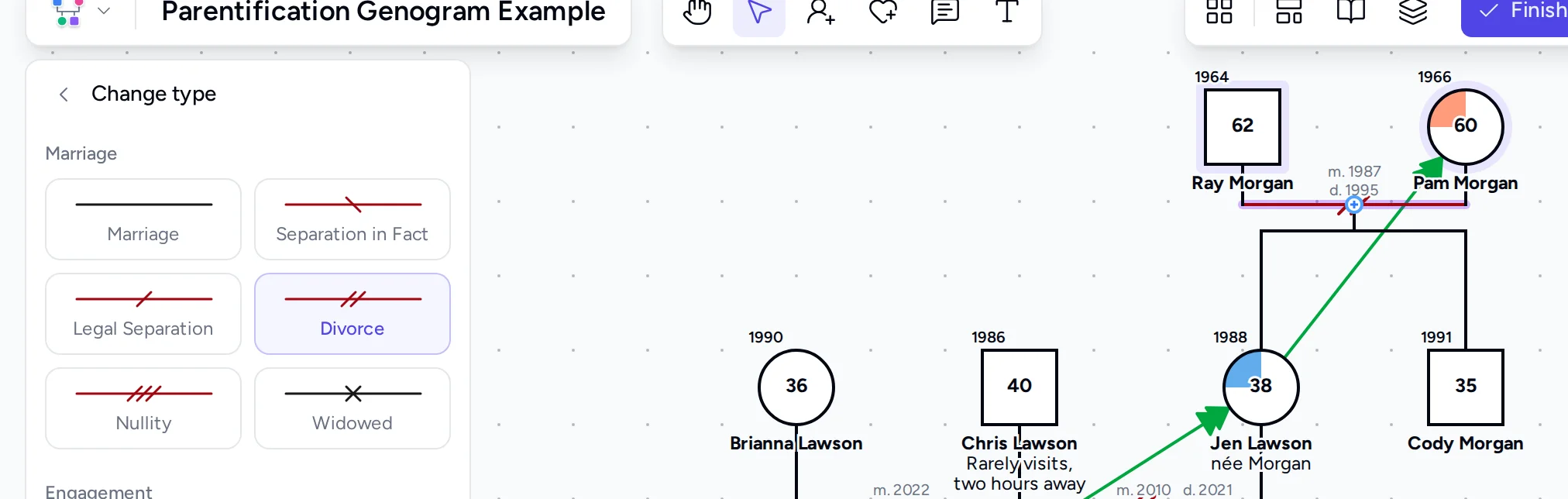
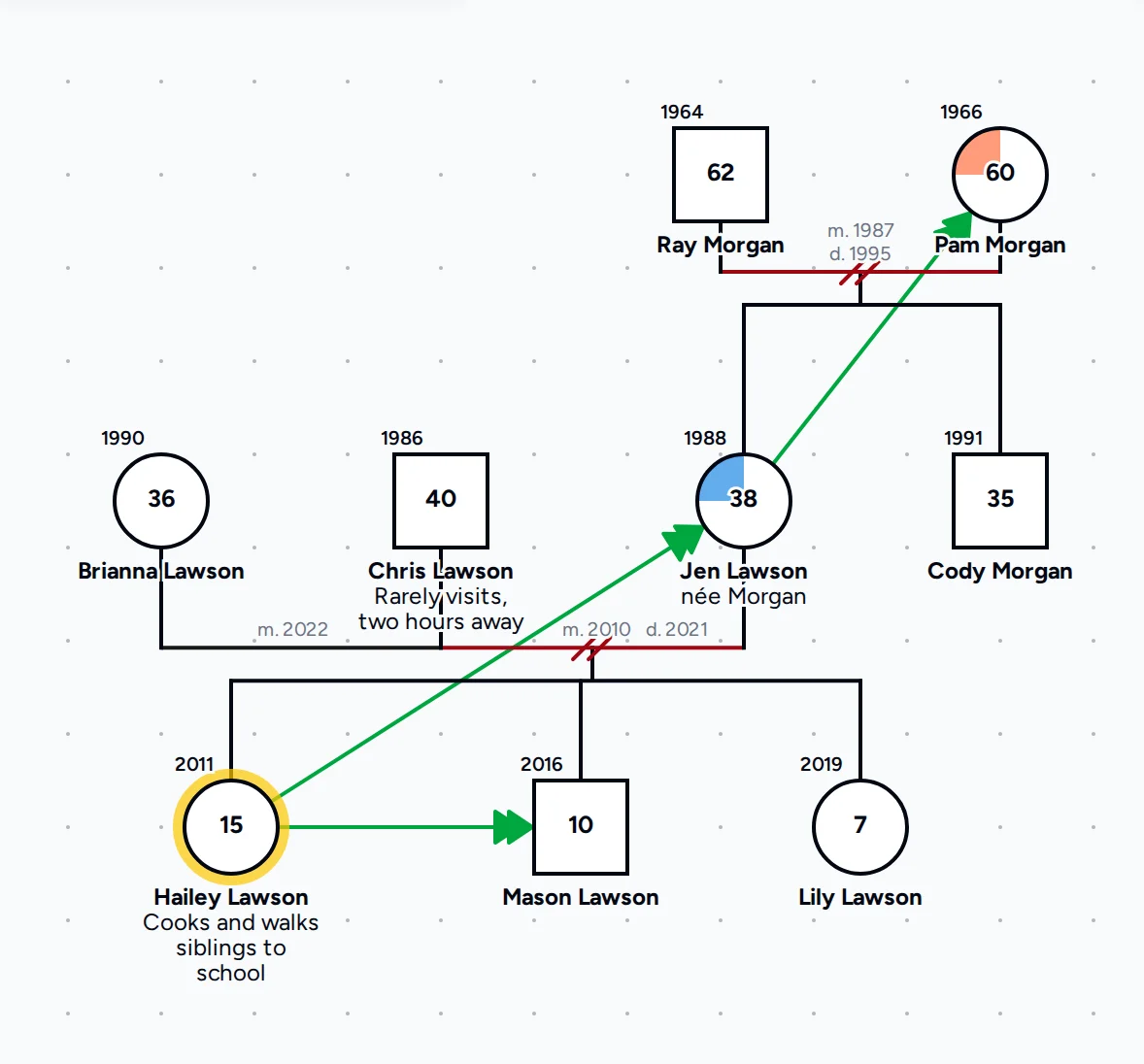
There are 39 bond line types for closeness, conflict, cutoff, caretaking and other patterns, and each color-coded condition is drawn as a filled section of the person's symbol.
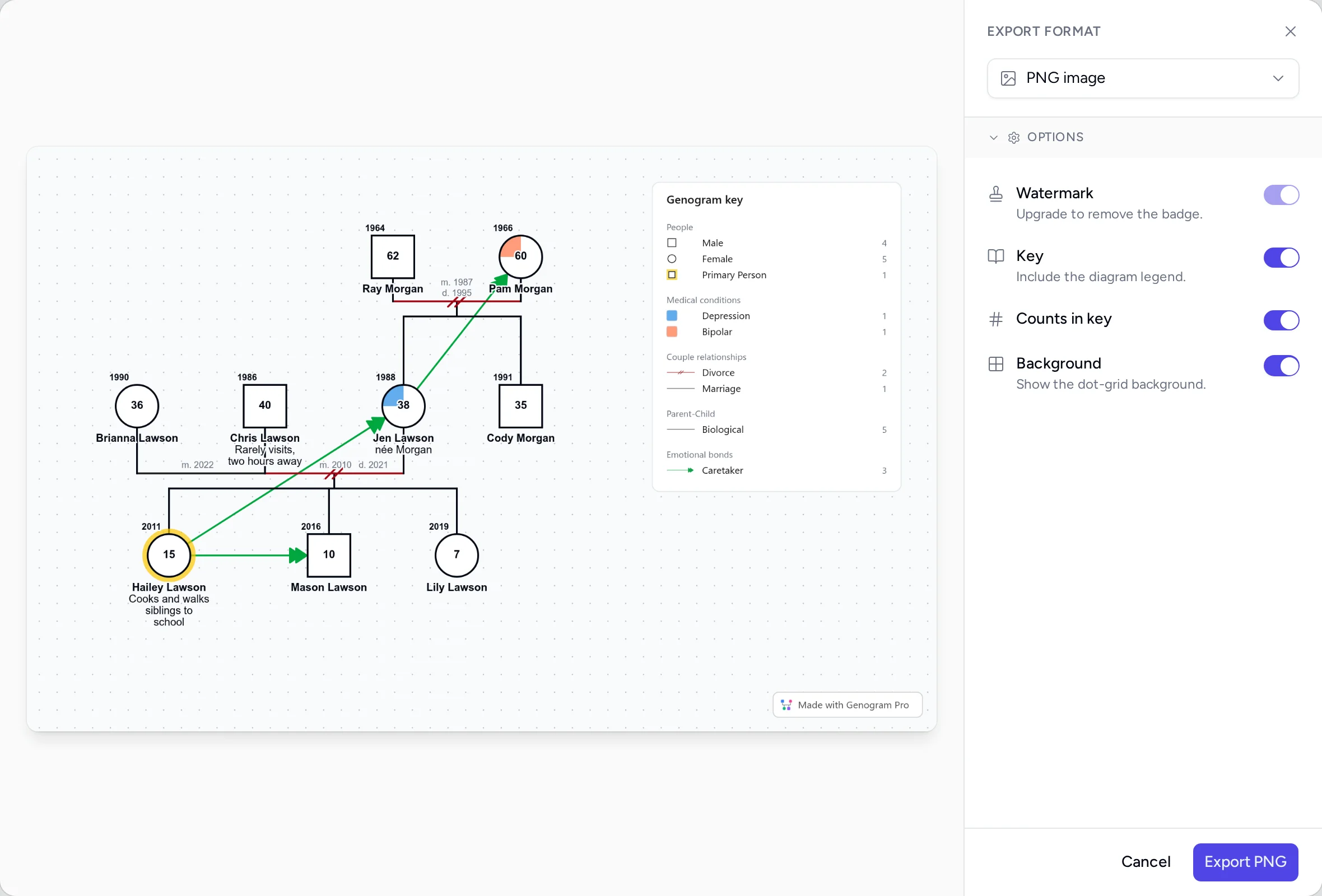
A PNG or PDF export can include a key of only the symbols and lines on the genogram, so a reader can follow the notation without a separate legend.
Questions people ask
Is GenoPro free?
GenoPro can be used free with up to 25 individuals. The full version can be tried for 14 days with a trial key, a free 180-day key is available for school projects, and a license costs $49 per user. Genogram Pro's free genogram maker needs no account, and the Professional plan is $9.99 a month billed annually after a 7-day free trial.
Does GenoPro work on a Mac?
Not natively. GenoPro's FAQ says GenoPro 2020 runs on a Mac with CrossOver, Parallels or VMware Fusion, and that GenoProX, a native Mac app, is still in development. Genogram Pro runs in a browser on macOS with nothing to install.
Is there an online version of GenoPro?
GenoPro documents no web version. GenoPro 2020 is desktop software that you install, and with its Online Backup command a password-protected copy of a file can be stored on genopro.com. Genogram Pro is a web app you open in Safari, Chrome or Firefox, with nothing to install.
Can I import my GenoPro files into Genogram Pro?
Yes. Export your genogram from GenoPro as a GEDCOM file, then import it into Genogram Pro. GEDCOM import is part of the Professional plan and its 7-day trial. People, partners, children, dates and facts such as occupation are included in the GEDCOM file, but emotional relationships and medical conditions are not, so you add those after import.
Is Genogram Pro free?
Genogram Pro is paid, with a 7-day free trial, and its free genogram maker needs no account. Genograms made in the free maker are saved in your browser, and PNG and PDF exports from it have a small Genogram Pro badge. The Professional plan is $9.99 a month billed annually, or $14.99 billed monthly, and it includes the AI assistant, GEDCOM import and export, exports without the badge and genograms saved encrypted in your account.
Try both on the same family
Draw the same family in the free editor and in the tool you use today, then keep using the one whose genogram is easier to read.