
Table of Contents
3 generation genogram example and template
A ready-made 3 generation genogram of grandparents, parents, and children, with the medical conditions and emotional bonds between them. Open it as a template, swap in your own family's details, and you have a working three-generation genogram in minutes.
Last updated June 2026 · Based on McGoldrick et al., Genograms: Assessment and Treatment (4th ed., 2020)
This example is designed to illustrate how to create and read genograms. It is not intended as clinical guidance.
An interactive example 3 generation genogram of the Chen family, spanning grandparents, parents, and children you can use as template.
Use as Template
Use this 3 generation genogram example as a template
This example doubles as an editable template. Open it, swap the names, dates, medical conditions, and bonds for your own, and the three-generation layout and symbol conventions stay correct, so you are not redrawing a genogram from scratch. If you would rather start empty, you can create a genogram online free and lay out the three generations yourself.
Build a three-generation genogram yourself
Open a blank canvas and place grandparents, parents, and children in their generational rows.
build a genogram free onlineWant it empty? The blank 3 generation genogram template has the same three rows with role labels instead of names, as PDF, Word and PNG. The genogram key explains every symbol used here.
To read it, look in two directions. Reading down the generations reveals what repeats: a condition or relational pattern that appears at the grandparent level and again in the children is multigenerational transmission, which is why three generations is the clinical minimum. Reading across a sibling row shows how roles and health were distributed, and since each condition is color-coded, a cluster on one branch is easy to spot.
How to make a 3 generation genogram in Genogram Pro
Establish the three-generation structure
Start with the identified patient in the middle row. Add parents above and children below to create the vertical backbone, then add grandparents to complete the top row.
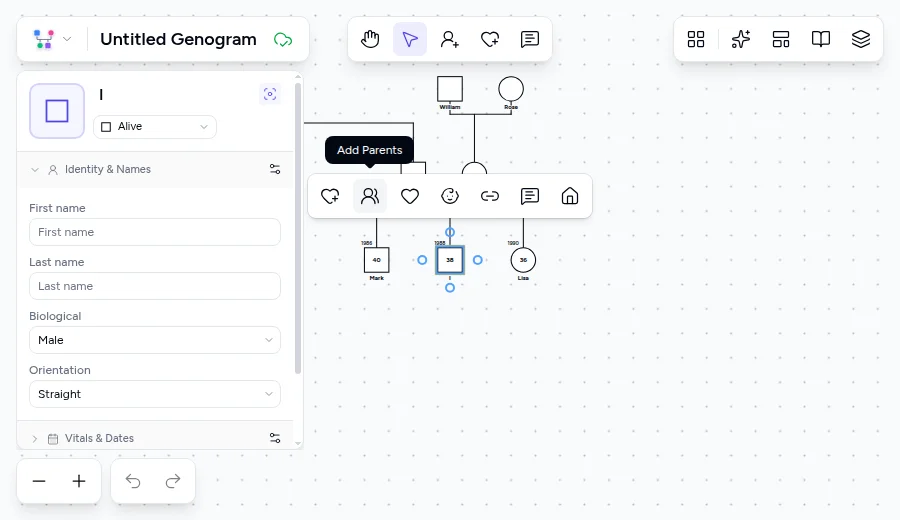
Add siblings at each generation
For each couple, select a parent and click Add Child in the toolbar. Place children left to right from oldest to youngest. Verify the order matches the family's actual birth order.
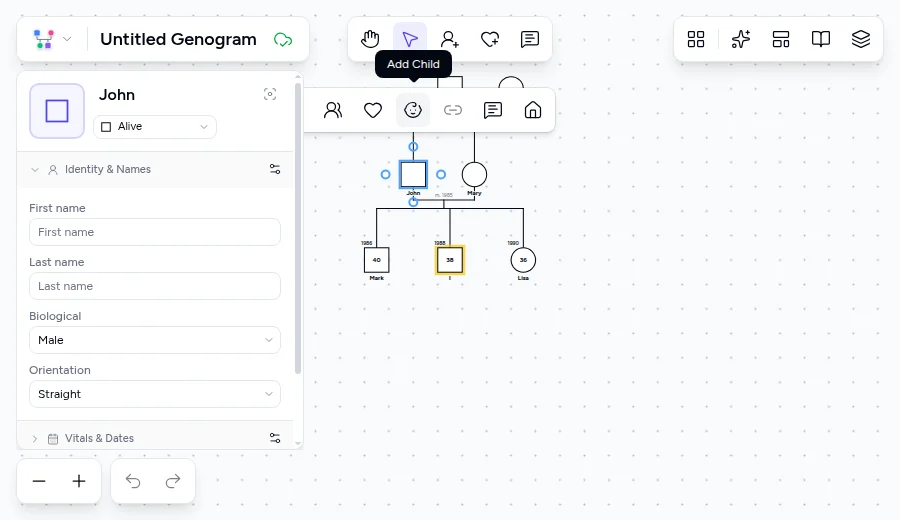
Attach medical conditions to individuals
Click each person and add relevant medical conditions through the Conditions panel. Choose a color for each condition type to make hereditary tracking visually clear. Colors are customizable per condition.

Draw emotional bond lines within and across generations
Select a person, click the Emotional Bond button in the toolbar, then click the target person to set the bond. Draw bonds between spouses, between parents and children, and between siblings. Cross-generational bonds (grandparent to grandchild) are especially important in three-generation genograms.
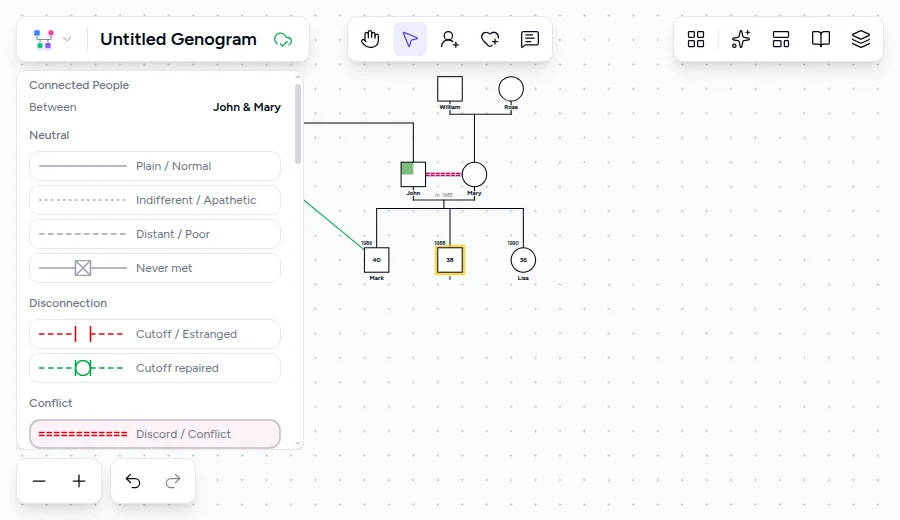
Review vertical and horizontal patterns
Step back and read the completed genogram in both directions. Zoom out to see all three generations at once. Look for conditions, bonds, or roles that repeat vertically or distribute horizontally.
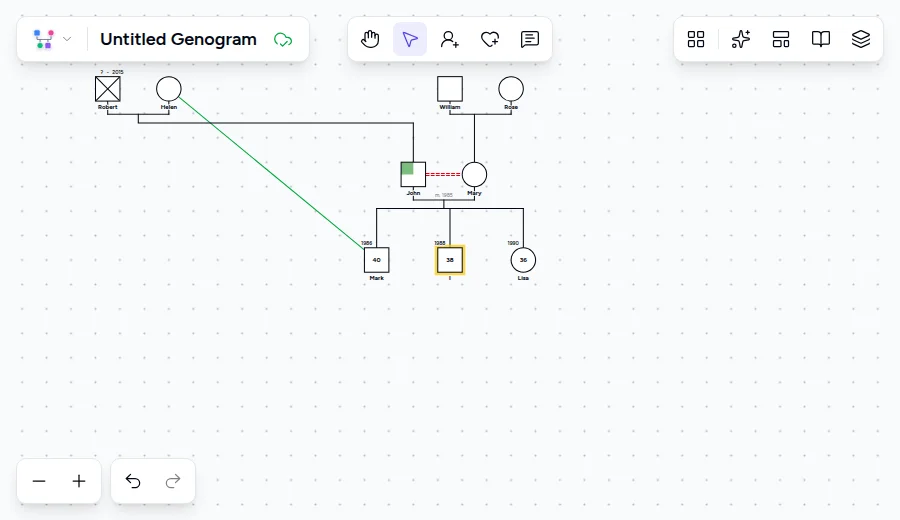
Clinical context
The three-generation genogram comes out of Murray Bowen's family systems theory, which holds that emotional processes transmit across at least three generations, and was formalized as a clinical minimum by McGoldrick and Gerson. It is now standard across family therapy, social work, nursing, and genetic counseling. Apply it with cultural flexibility, and treat what it shows as hypotheses to explore rather than diagnostic conclusions.
Frequently Asked Questions
What is a 3 generation genogram example?
Is there a 3 generation genogram template I can use?
Does this 3 generation genogram example come with a key?
How do I make a 3 generation genogram?
Why three generations and not two or four?
Which direction should I read a genogram, top to bottom or left to right?
Can I track the same medical condition across generations?
What if a pattern changes form across generations?
Ready to Create Your Own Genogram?
Build professional genograms online with standard notation, AI-powered generation, and end-to-end encryption.