
Genogram template
This page has three blank genogram templates, each as a PDF, a PNG and a Word file: a 3 generation family, the same family with your own partner and children, and a worksheet with a symbol key and an empty grid. It also has four filled templates from the genogram examples, and you can open both family templates and every filled one in the editor.
Updated October 2026Based on McGoldrick et al., Genograms: Assessment and Treatment (4th ed., 2020)
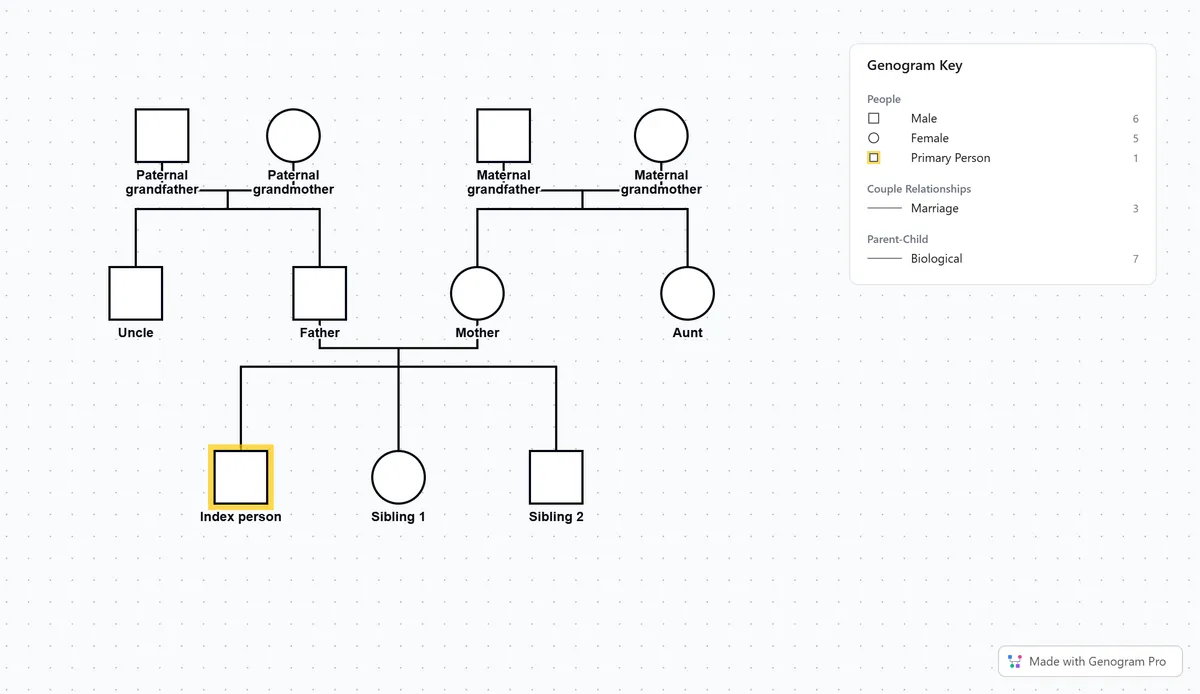
Blank genogram templates
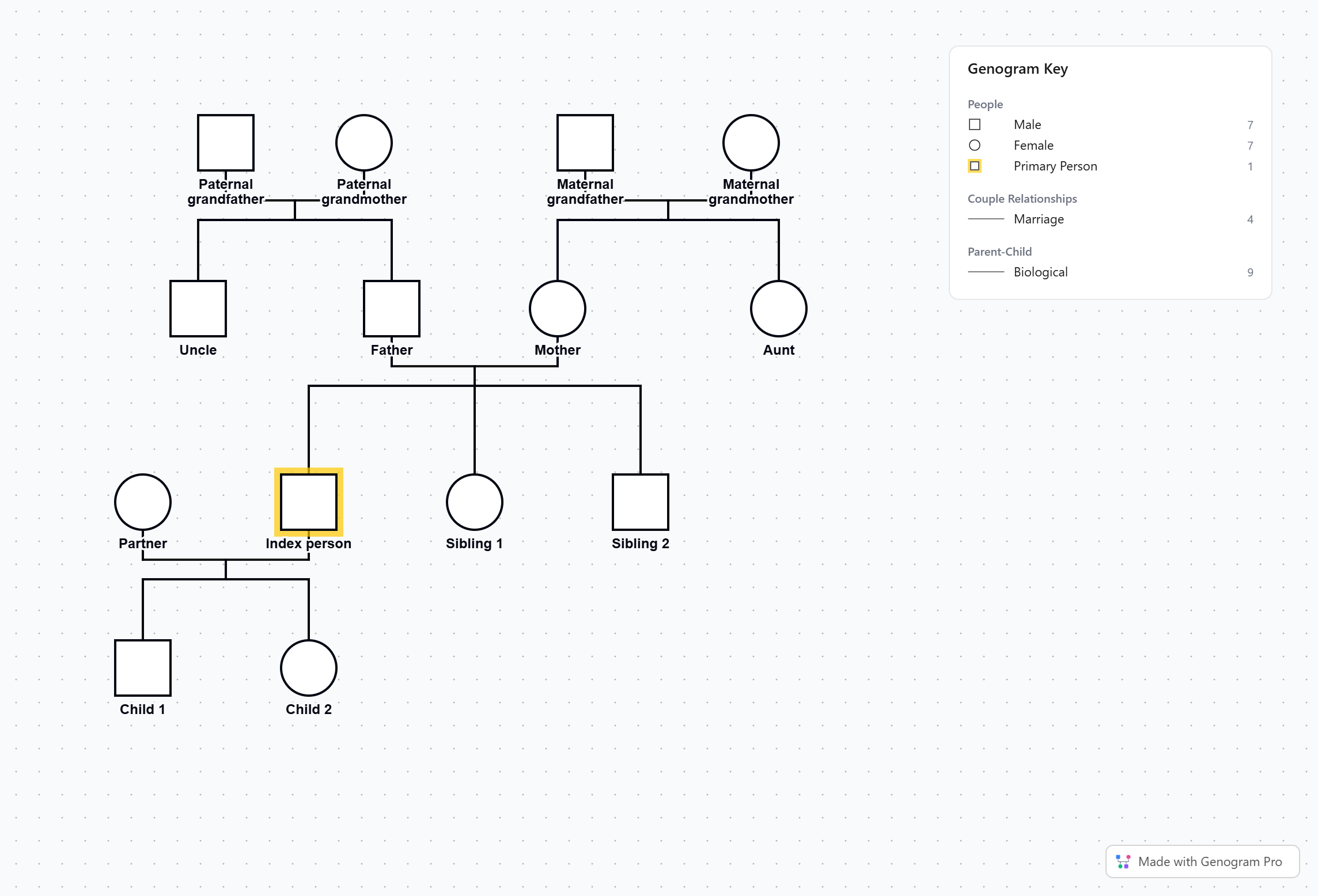
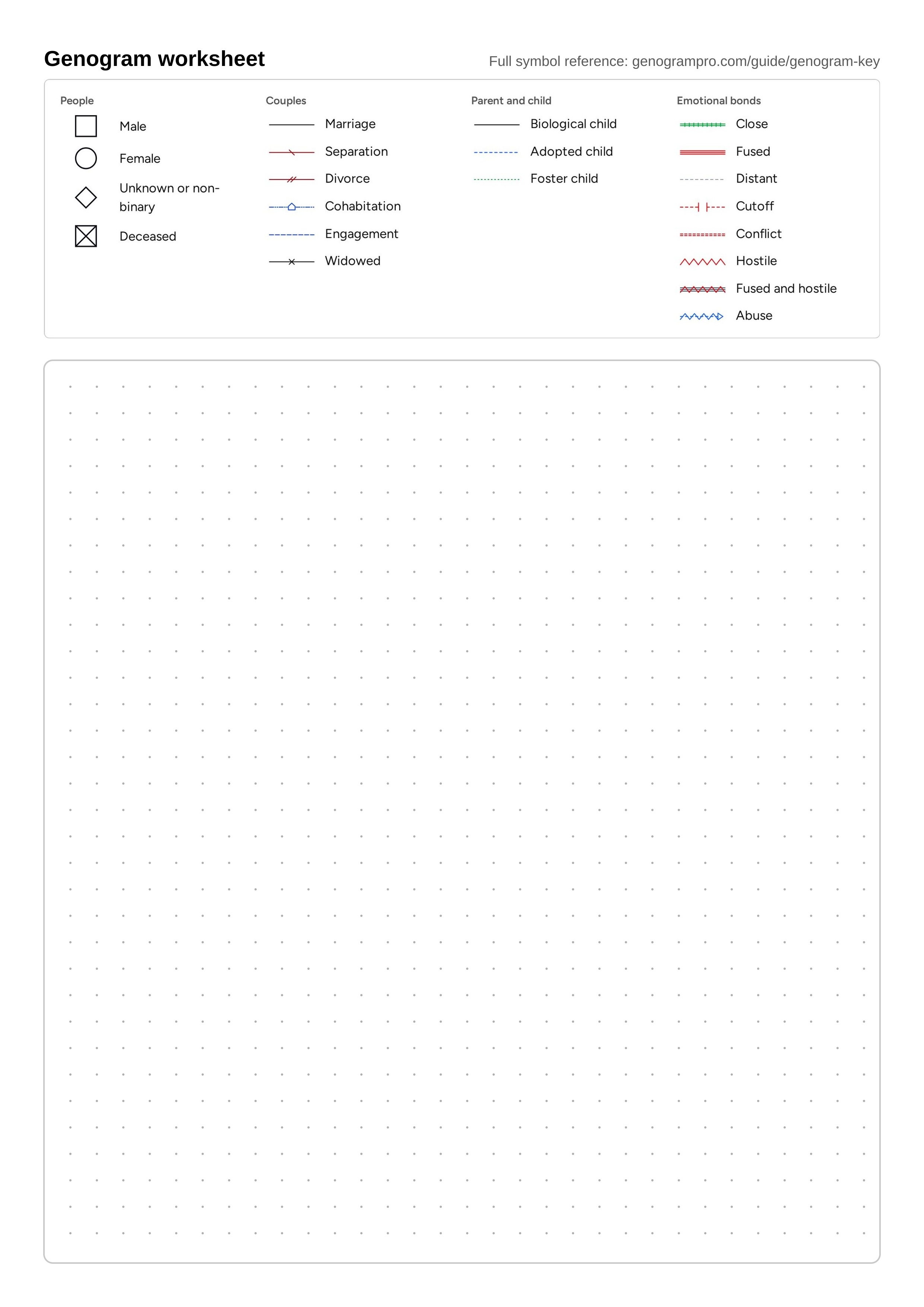
The two family templates are drawn in standard notation with a key beside the family. Each person has a small gray role label, such as Father or Maternal grandmother, above empty lines for a name and the dates of birth and death, and in the PDFs you can type into those lines before you print. The worksheet has the common symbols and lines in a key along the top and an empty dotted grid below for drawing a family by hand.
Blank 3 generation template
Grandparents, parents and siblings with role labels
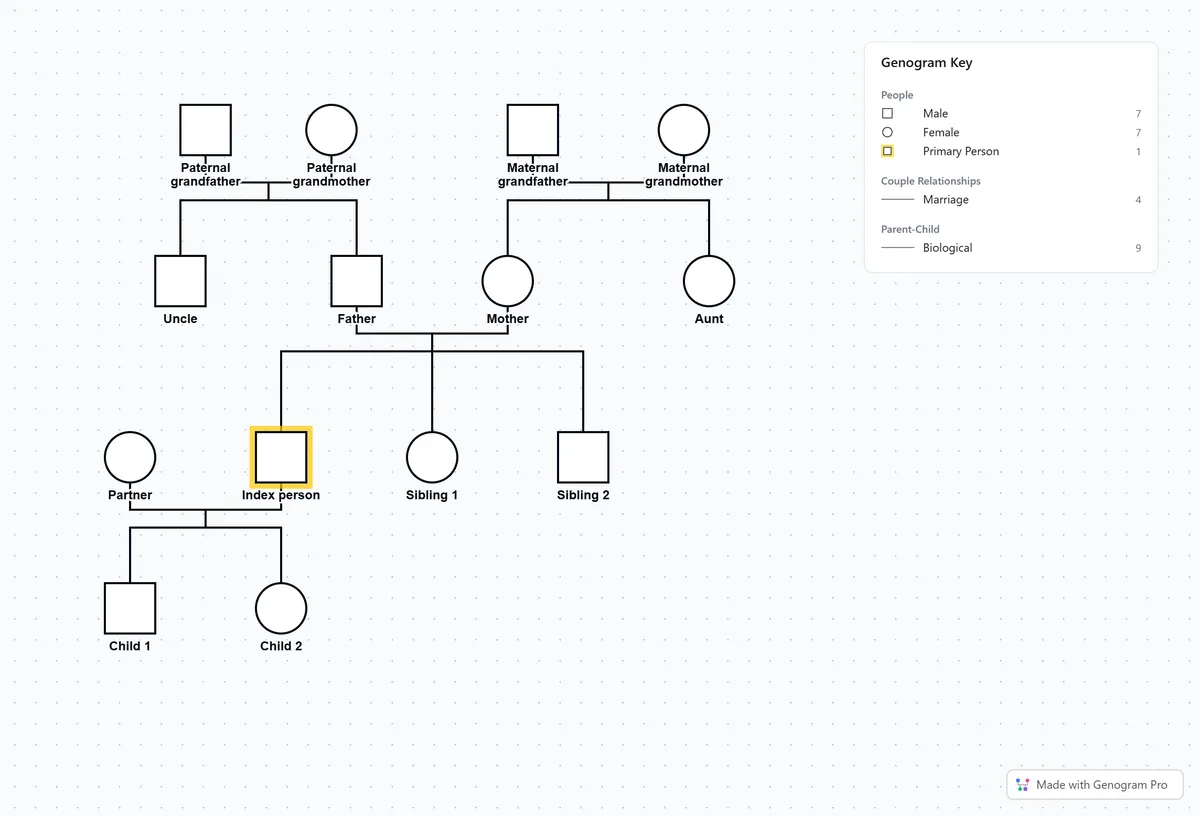
Own family template
The same three generations with your partner and children
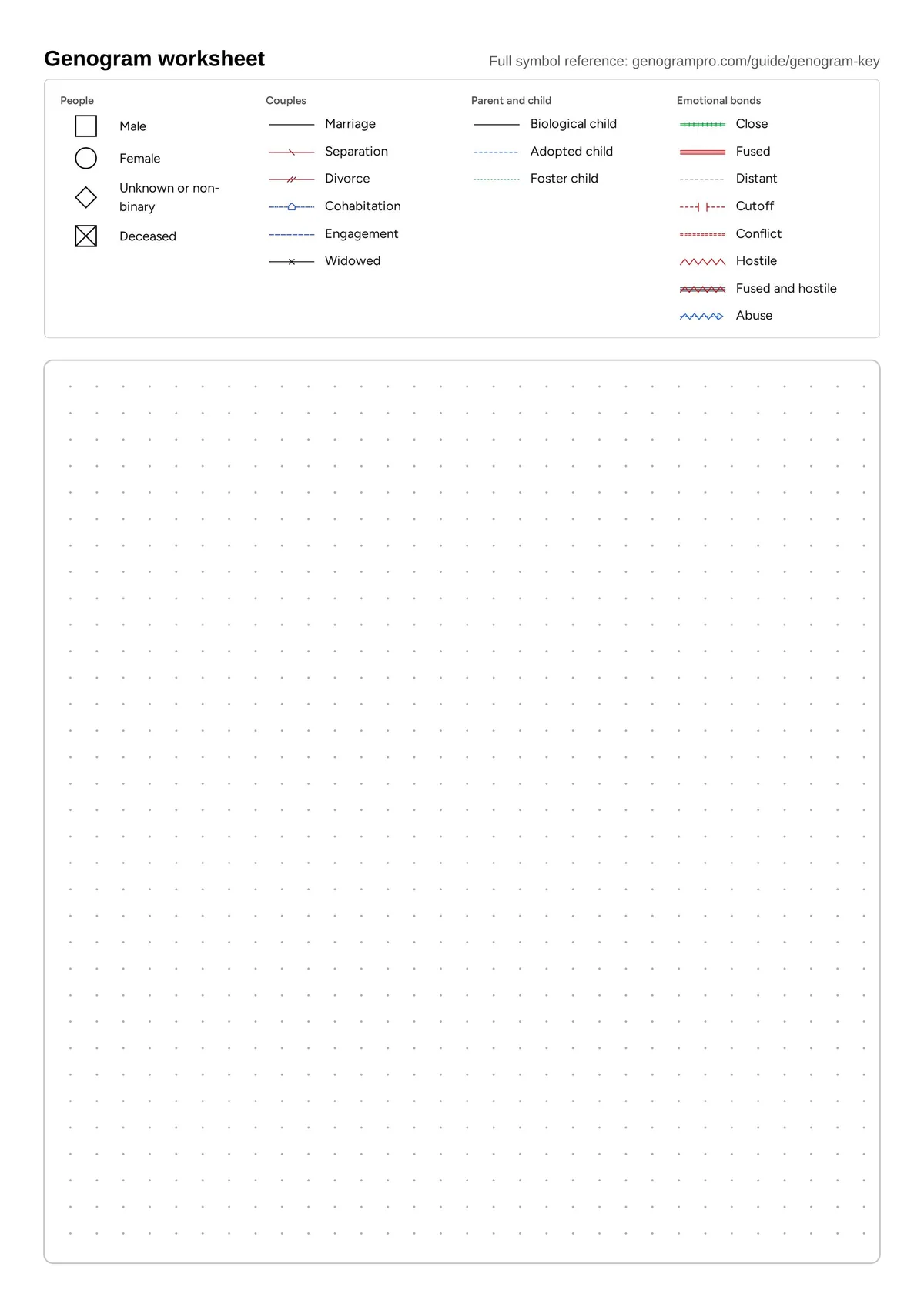
Genogram worksheet
A symbol key and a dotted grid for drawing by hand
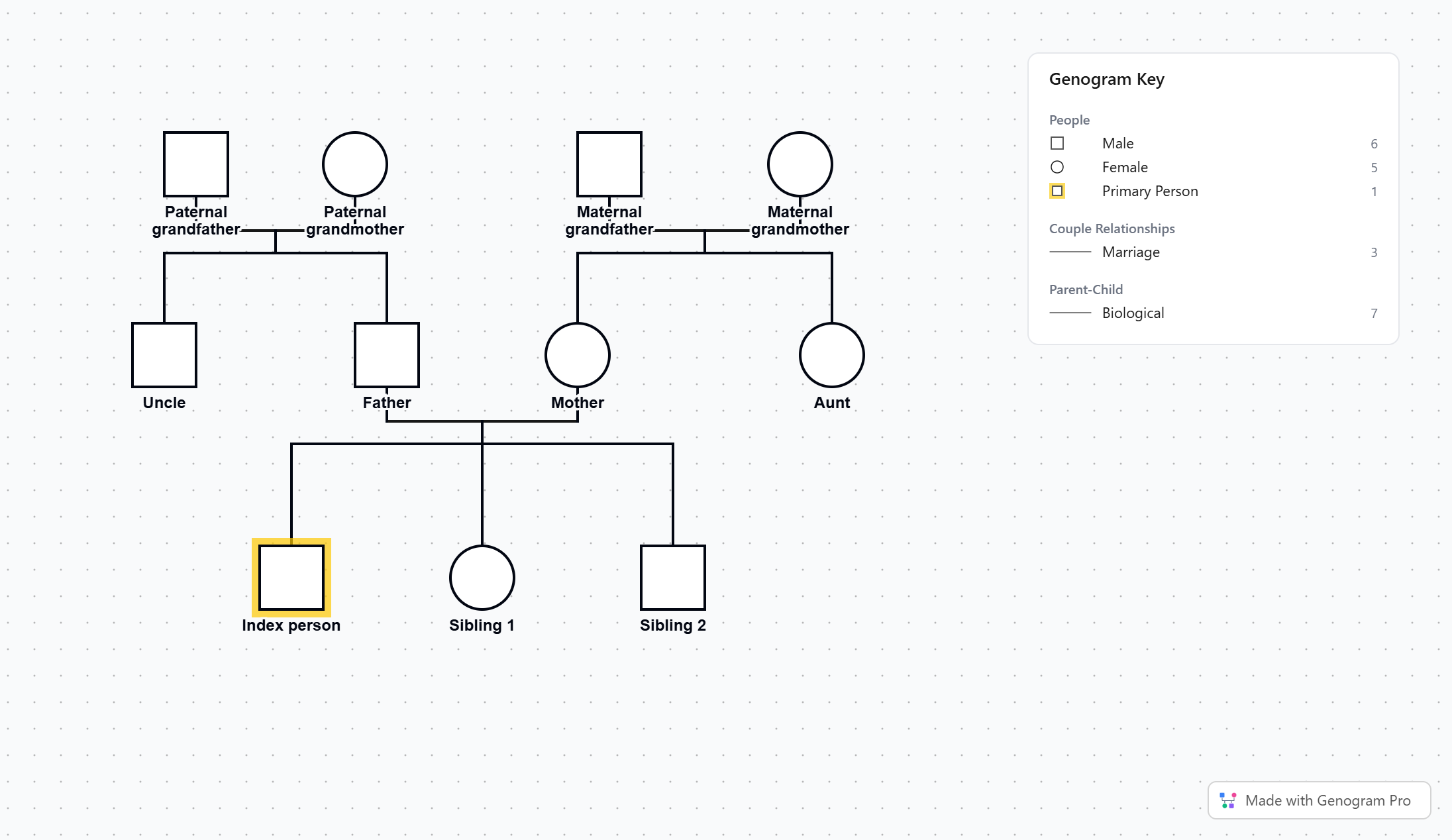
Filled genogram templates
These four genograms are from the genogram examples. You can open each one in the editor with every person and line in place, then change the names, dates and conditions to fit your own family.
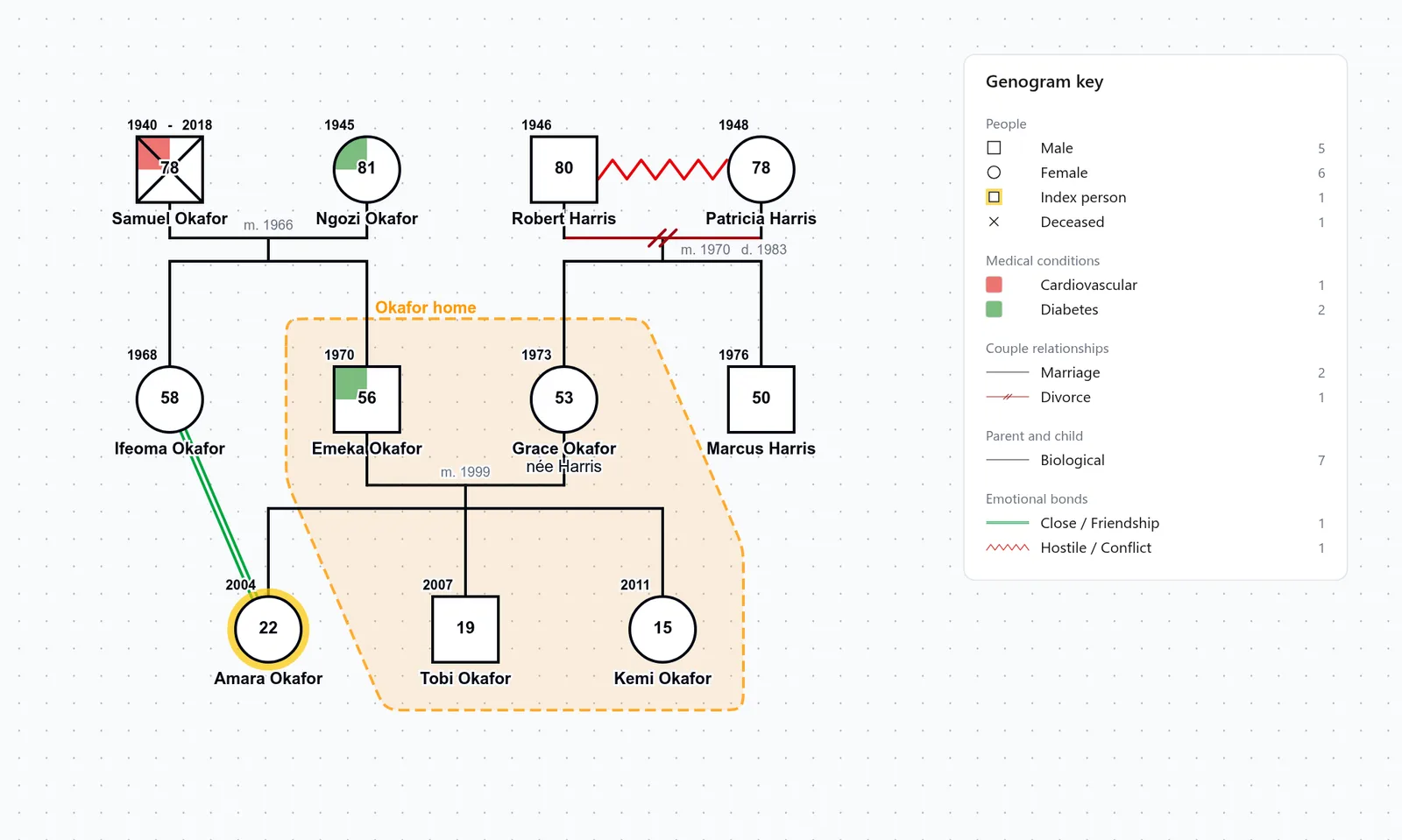
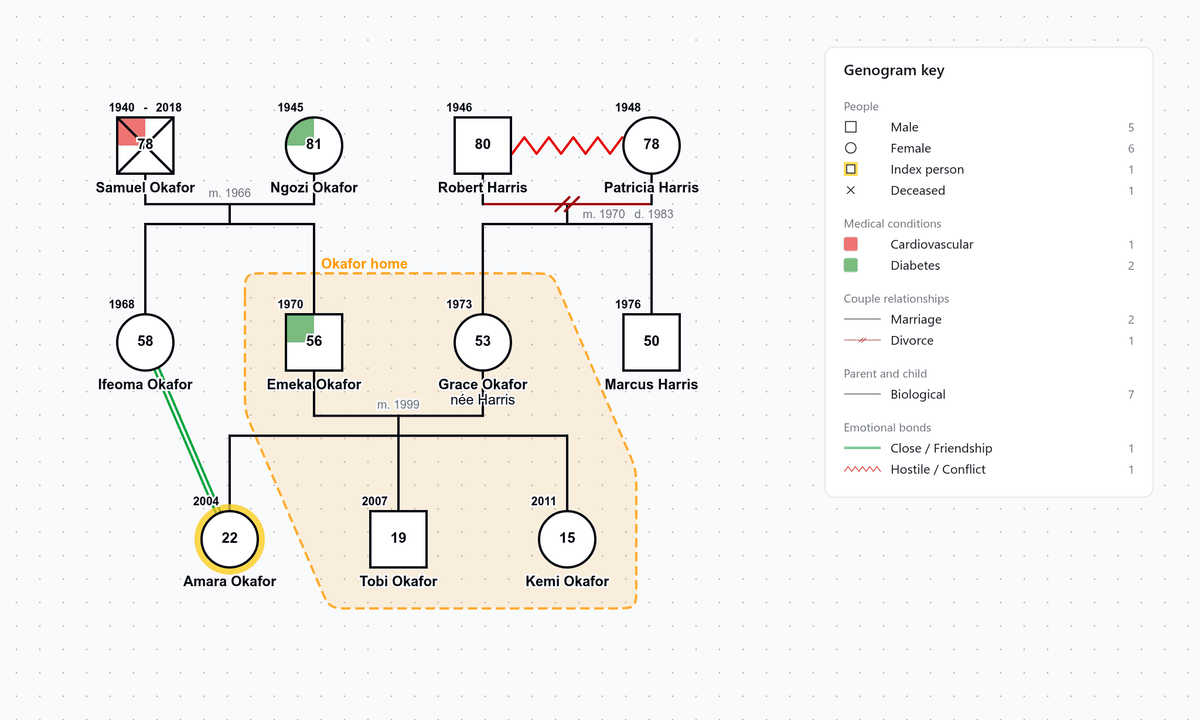
Basic genogram
The Okafor and Harris families, with a death, a divorce and diabetes
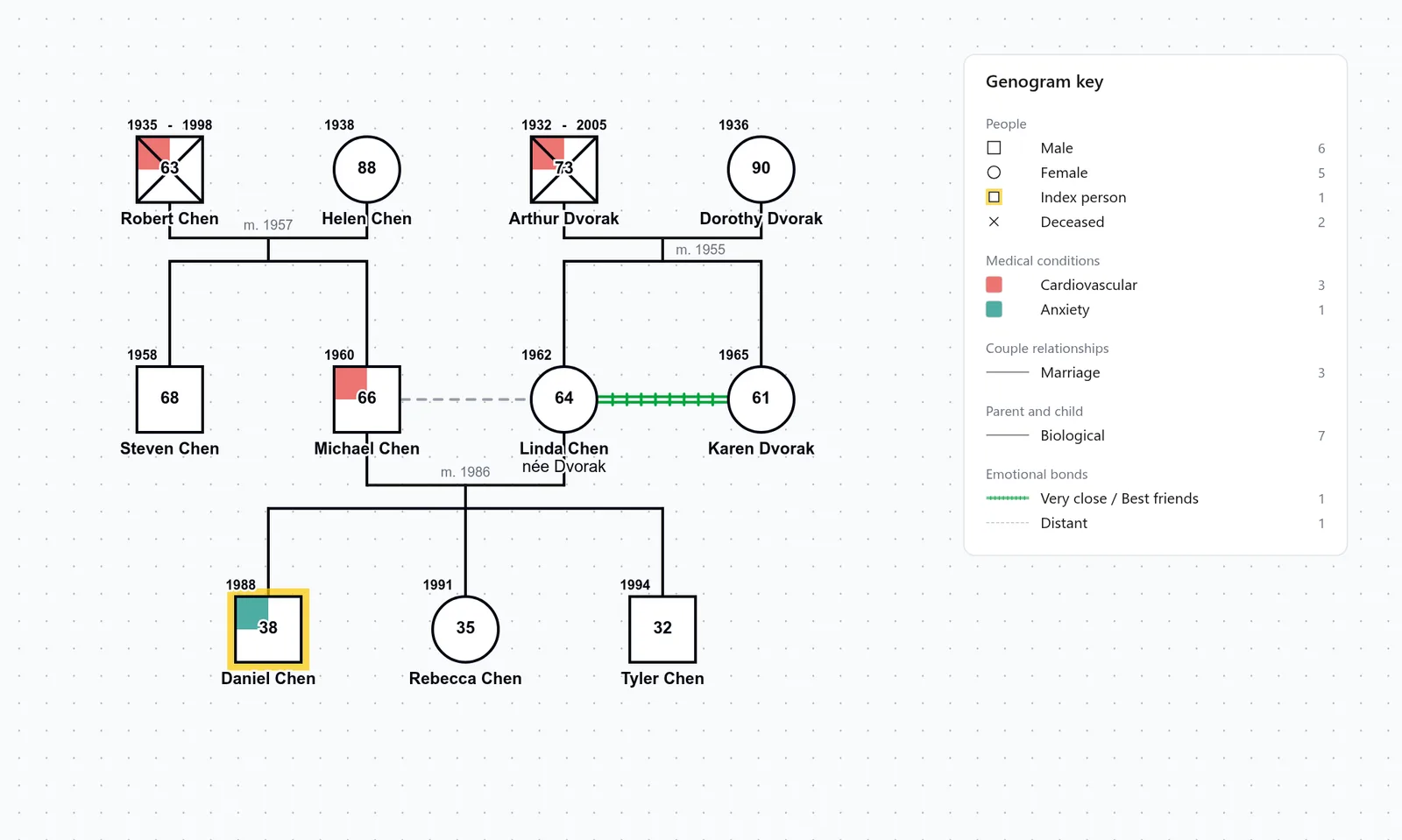
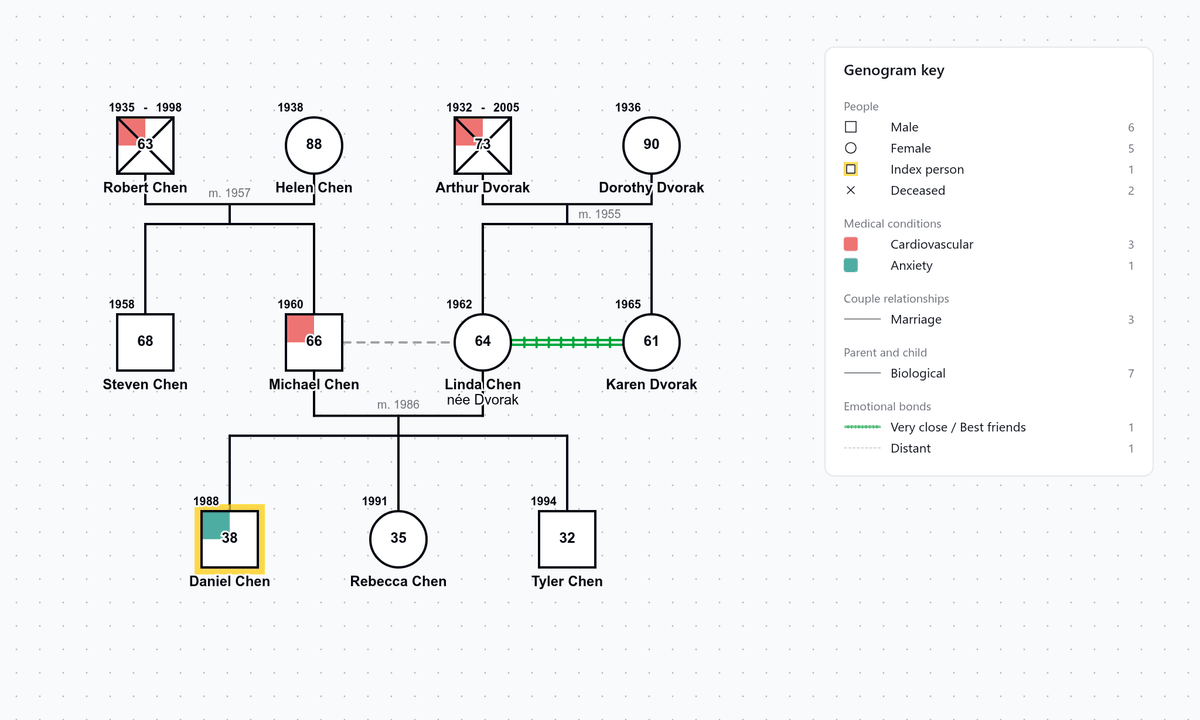
3 generation genogram
The Chen family, with cardiovascular disease in both grandfathers
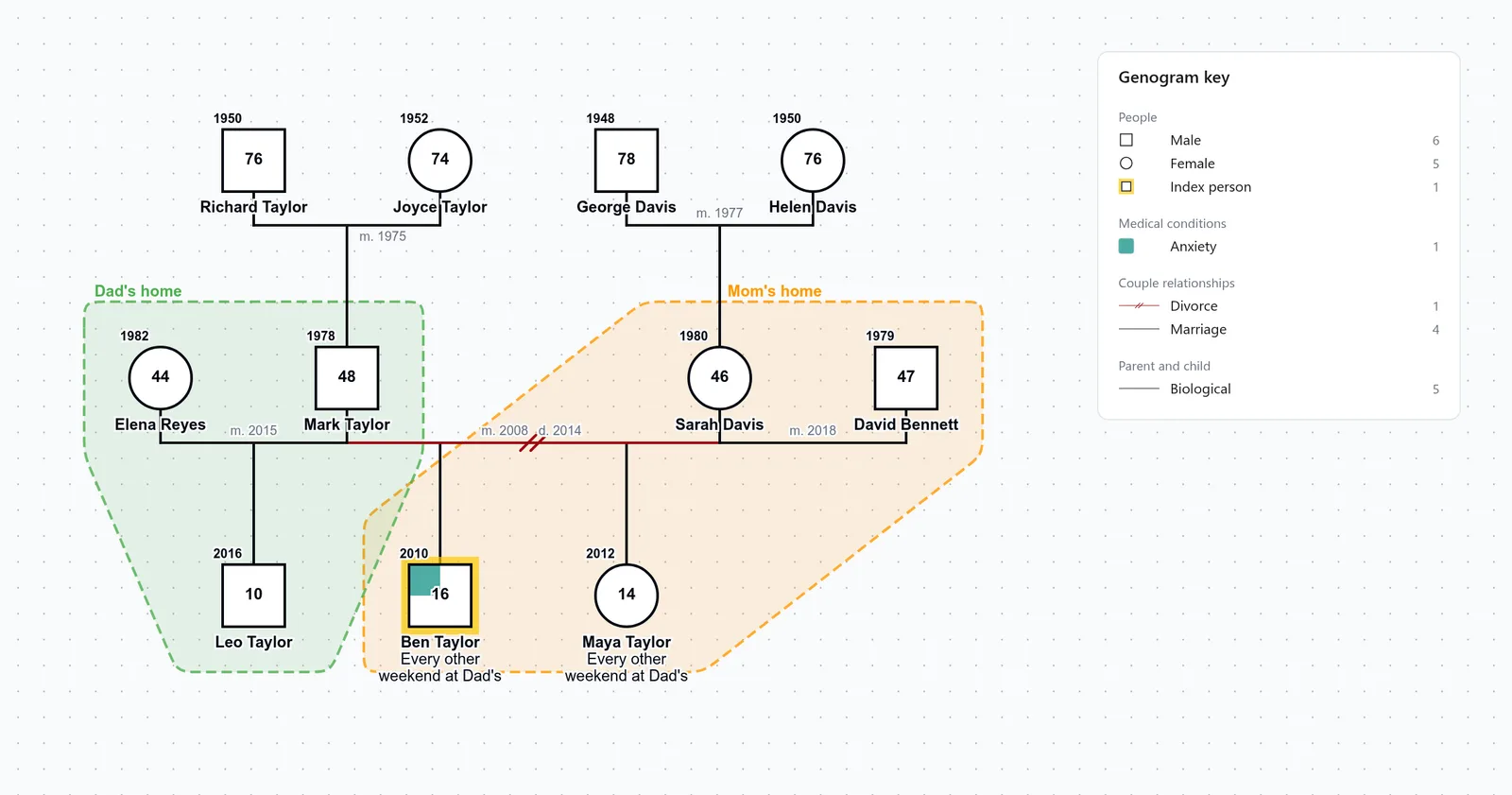
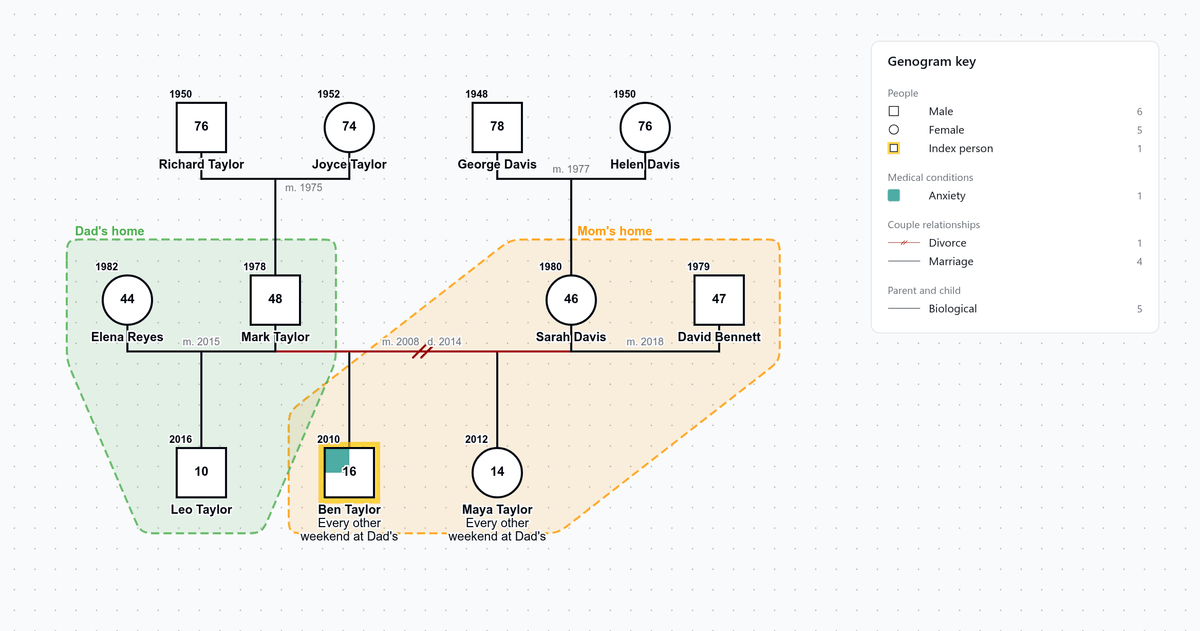
Divorce and remarriage genogram
The Taylor family after a 2014 divorce and two remarriages
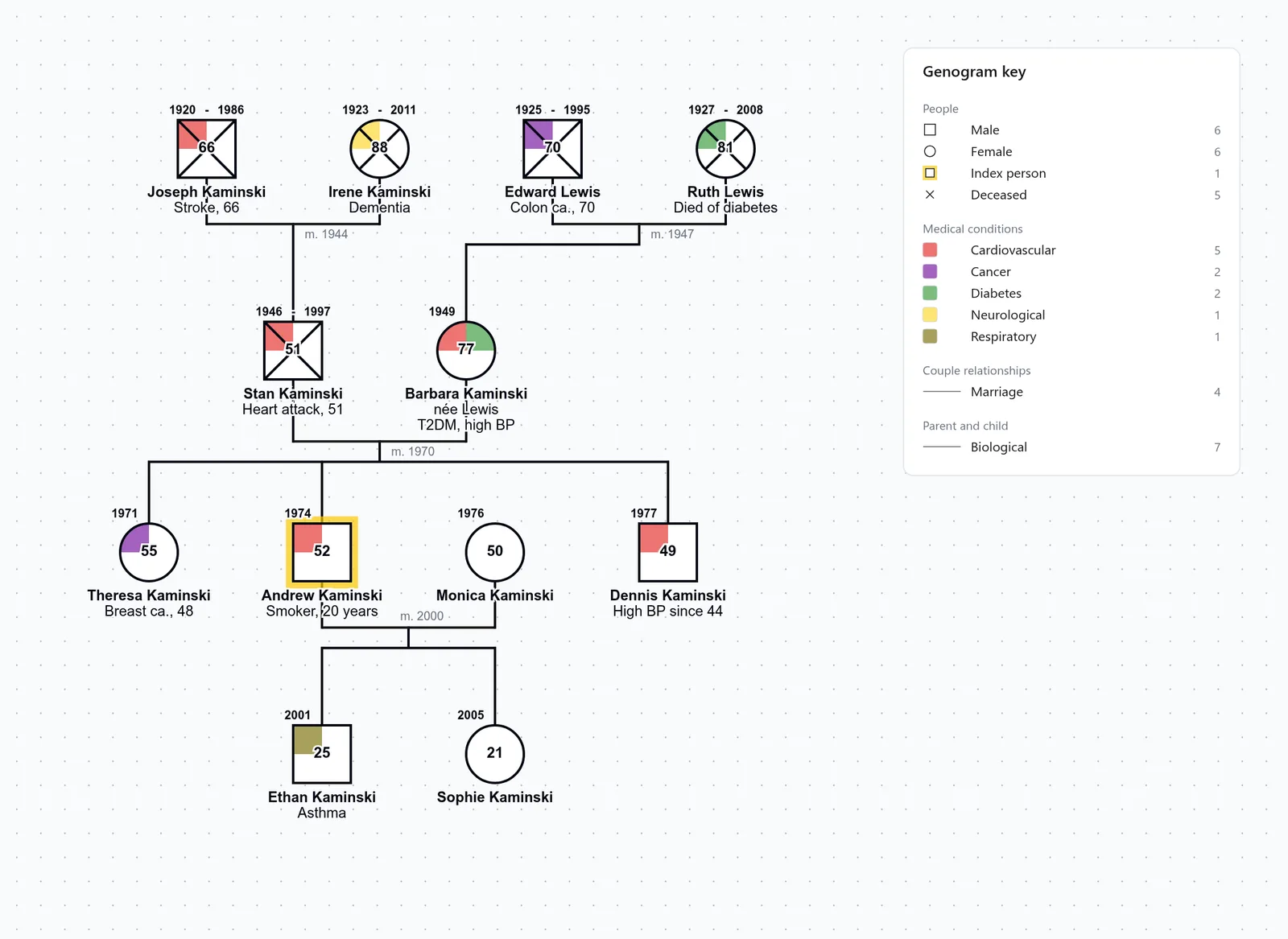
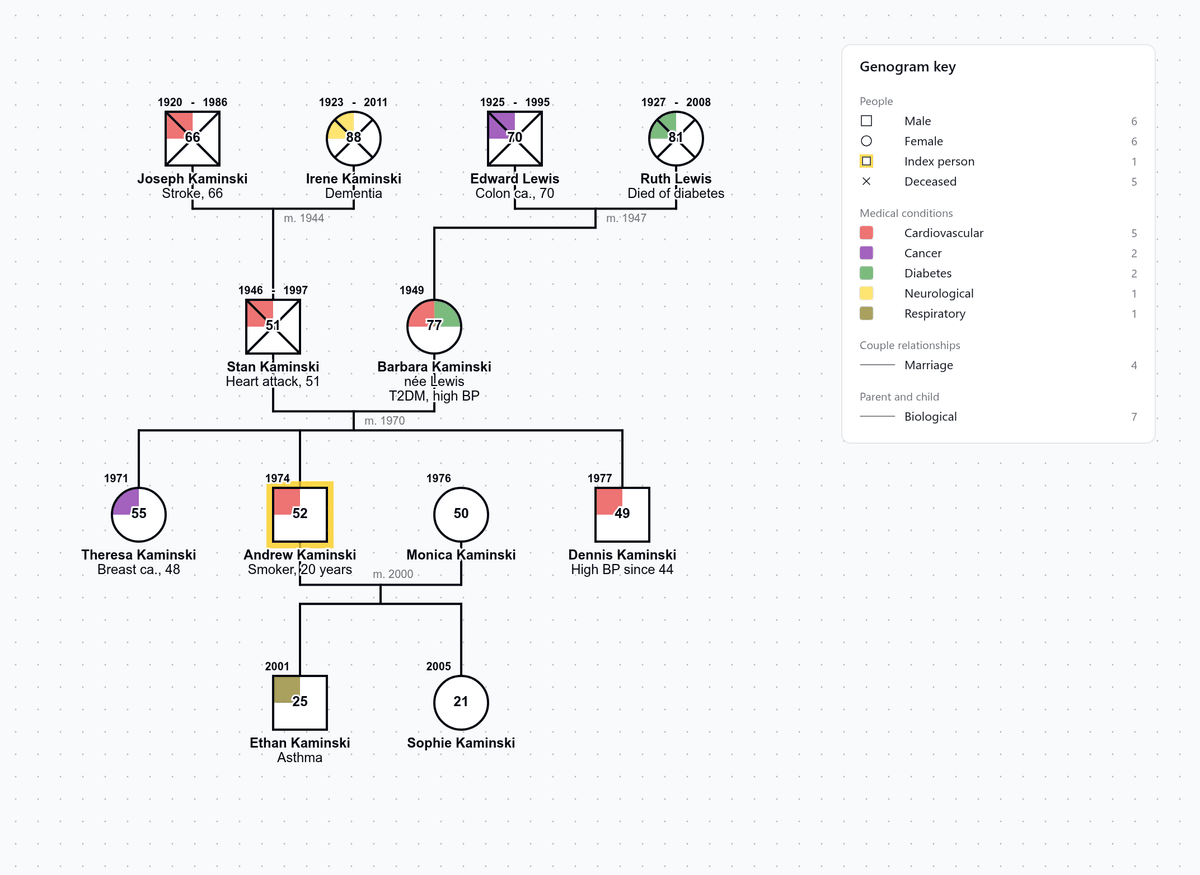
Nursing genogram
Andrew Kaminski's family health history, with a color for each condition
Genogram template for Word, Google Docs and PowerPoint
Word, Google Docs and PowerPoint have no genogram shapes, so a genogram drawn in them is built from squares, circles and lines placed by hand, and each line has to be moved again whenever you move a person.
In the Word files of the two family templates, the symbols and family lines are drawn in a table, so you can type each name and date on the page in Word or Google Docs and then print it. The worksheet's Word file has the key above an empty box for drawing by hand.
To add a relative or change how the family is connected, open the template in the editor and export a PNG, which you can insert into a document or a PowerPoint slide as a picture.
Print the genogram key
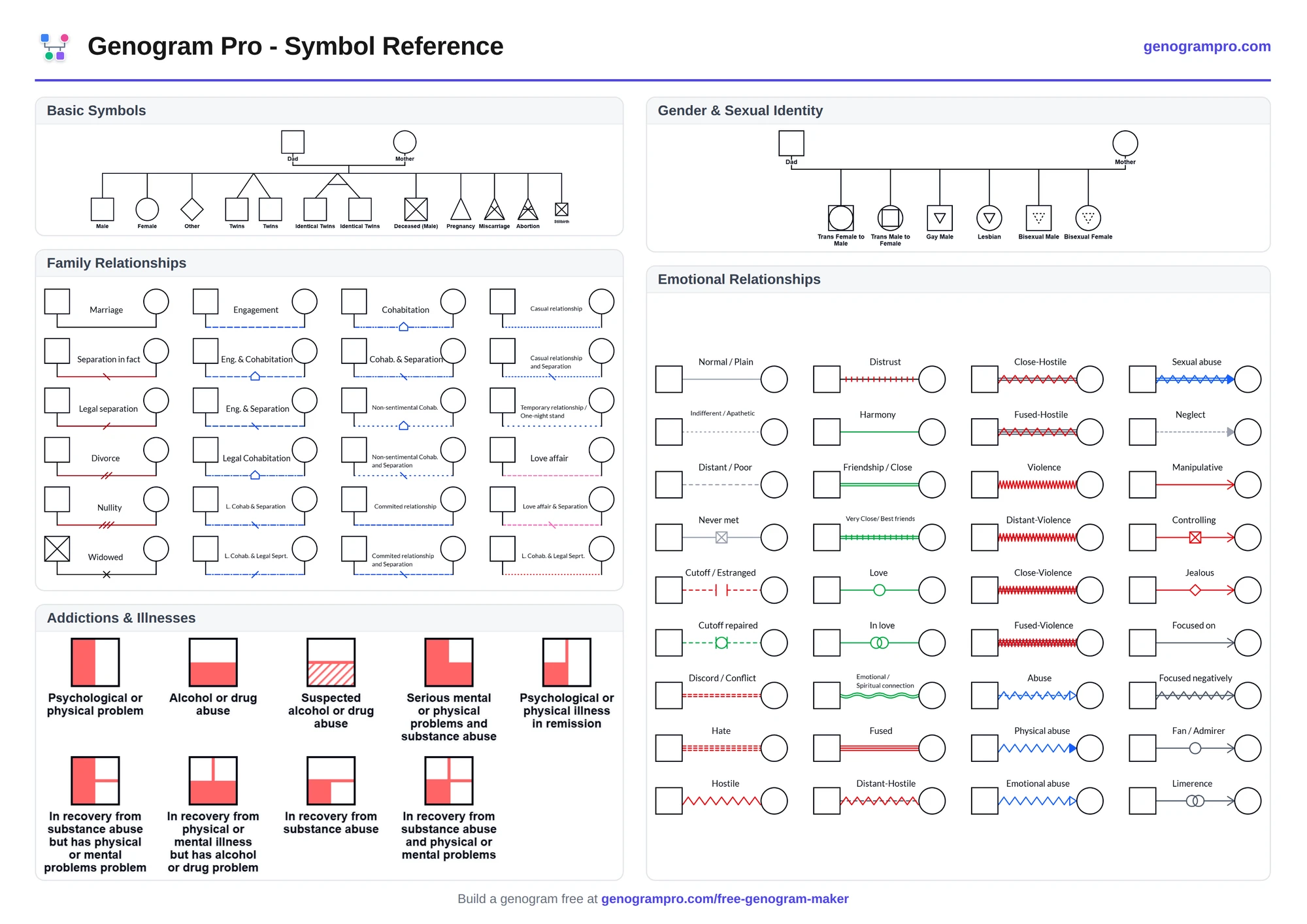
The printable genogram key is one page with the person symbols, couple lines, emotional bonds and medical condition fills, to keep beside a genogram you draw by hand.

Fill in a template in the browser
In the free genogram maker, the people in a template are already connected, so you only replace each role label with a name and add or remove relatives. As you edit, the lines are kept attached and each new symbol is added to the key. You can export the finished genogram as a PNG or PDF with a small Genogram Pro badge.
Common mistakes on a printed genogram
A couple drawn with the man on the right
By genogram convention the male partner is drawn on the left of a couple, so every family on the page is read the same way. Swap the two before you add their children, because moving a couple later means redrawing every child line below it.
A genogram without its key
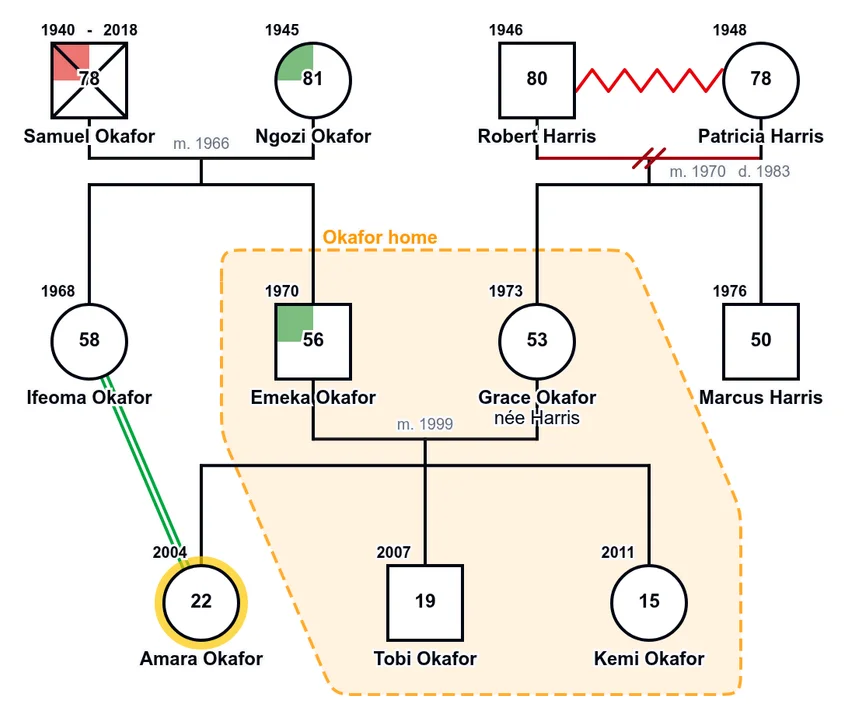
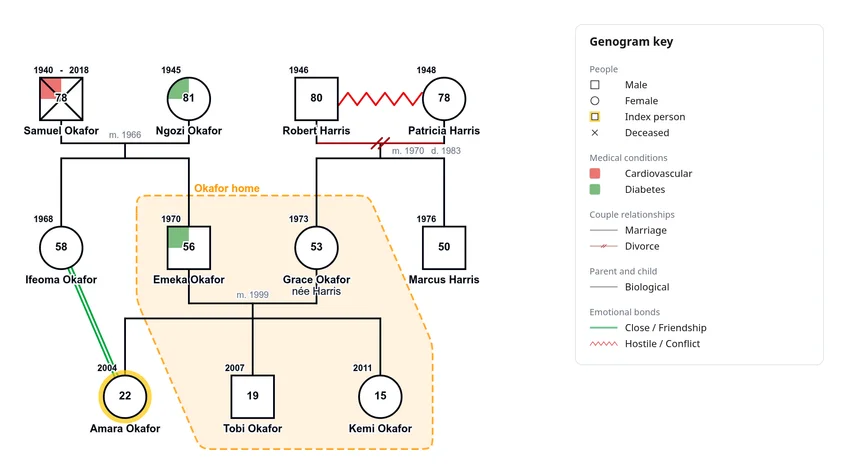
Without a key, a reader has to guess what a zigzag line or a colored fill means, so keep the key on the same page when you print or scan a genogram.
Questions people ask
Is there a genogram template in Word?
Yes, there is a Word file for each of the three blank templates, and you can open each one in Word or Google Docs. In the two family templates, you can type each name and date on its line before you print. To add or remove relatives, open the template in the editor instead.
Are these genogram templates free?
Yes. The PDF, PNG and Word downloads are free, and you can fill in the family templates in the free genogram maker without an account. PNG and PDF exports from the free maker have a small Genogram Pro badge.
What should a 3 generation genogram template include?
It should include both sets of grandparents, the parents and their siblings, and the index person and their siblings, with each couple joined by a couple line and each child connected to that line. Add the index person's partner and children if the genogram centers on your own household, and add dates, health conditions and emotional bonds once the structure is drawn.
Does Canva have a genogram template?
Canva's genogram page has links to whiteboard templates, but they are decorative family trees with photo frames and name labels. They have no genogram symbols, no lines for divorce or emotional bonds and no fills for health conditions, so you have to draw each person and line by hand from generic shapes.
Canva genogram templateIs there a template for a social work genogram?
The template for your own family has three generations plus the index person's partner and children, and in the editor you can add a household outline, a foster child line or a cutoff to it. The social work genogram page has a kinship care example with a household outline and a cutoff line, and the ecomap of the same household. You can open the example as a template.
Social work genogram exampleWhat questions should I ask to fill in a genogram?
Ask about the household first, then parents and siblings, then grandparents, and write down each person's name, birth and death years, and any marriages and divorces. Questions about health, relationships, losses and culture follow once the three generations are drawn, and on the genogram questions page each one is listed with the symbol or line to draw.
Genogram questionsKeep every genogram in one place
With the Professional plan, you can save your genograms to an encrypted account, so each case is ready the next time you open it.