
How to make a genogram in Canva
Canva is a design platform that documents no genogram symbols, so a genogram in Canva is drawn on a whiteboard from squares, circles and connector lines. Below are the five steps in Canva with a screenshot of each, then the same family drawn in Genogram Pro and a feature comparison of the two tools.
Updated October 2026Competitor details from canva.com, checked on October 22, 2026
Making a genogram in Canva, step by step
Start a whiteboard
From the Canva homepage, select Whiteboard to start a blank board, or search for "Genogram" to open a whiteboard from a template.

Add a shape for each person
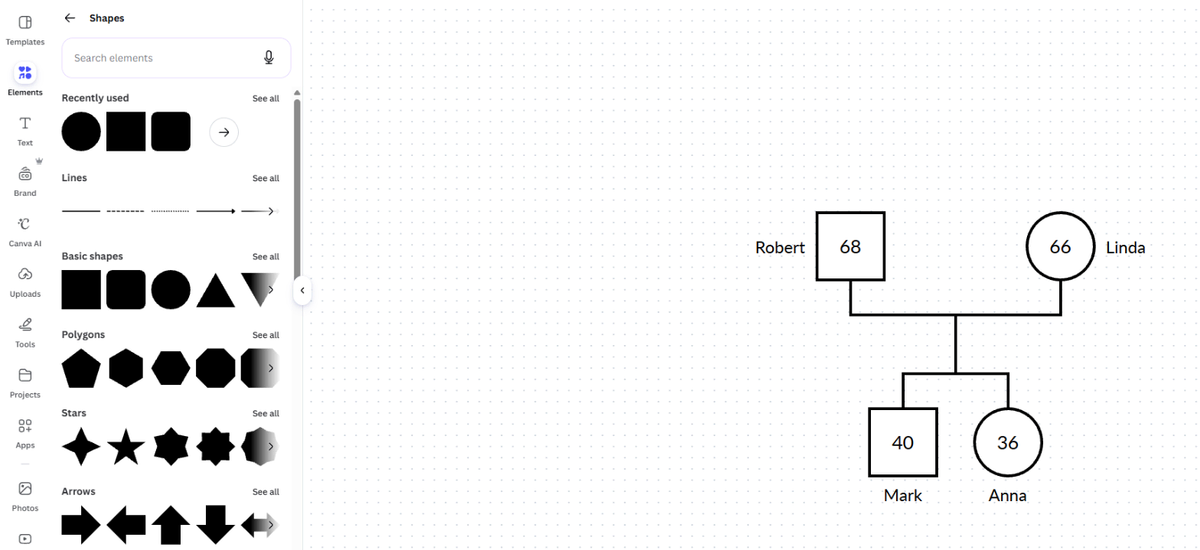
Open the Elements tab, find Shapes, and drag a square onto the board for each male and a circle for each female. Use the color swatch to set each fill to white and Border style to give each shape a solid black border. Double-clicking a white shape does not start typing, so select the shape and press Enter to type the age inside it. Press T to add each name as a text box beside or below the shape, and draw an X through the shape of anyone who has died.
Connect partners and children
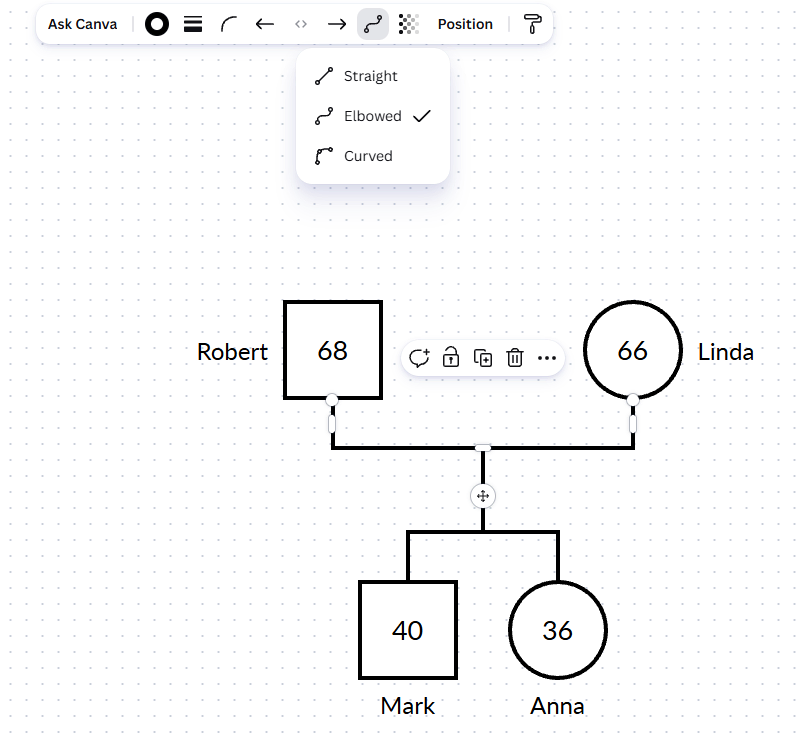
Press L to add a line, or open Tools and select Lines, then set Line type to Elbowed. Drag one end of the line onto the bottom edge of one partner and the other end onto the bottom edge of the other partner to draw the partner line. Draw an elbowed line between the top edges of the two children for the sibling bar, and a short vertical line from the partner line down to the sibling bar.
Show relationships and conditions
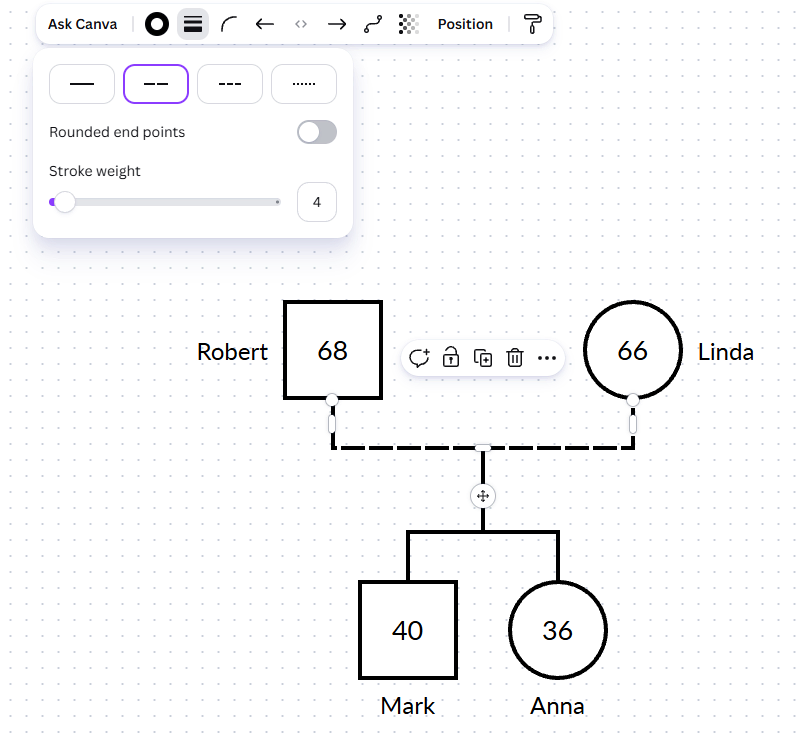
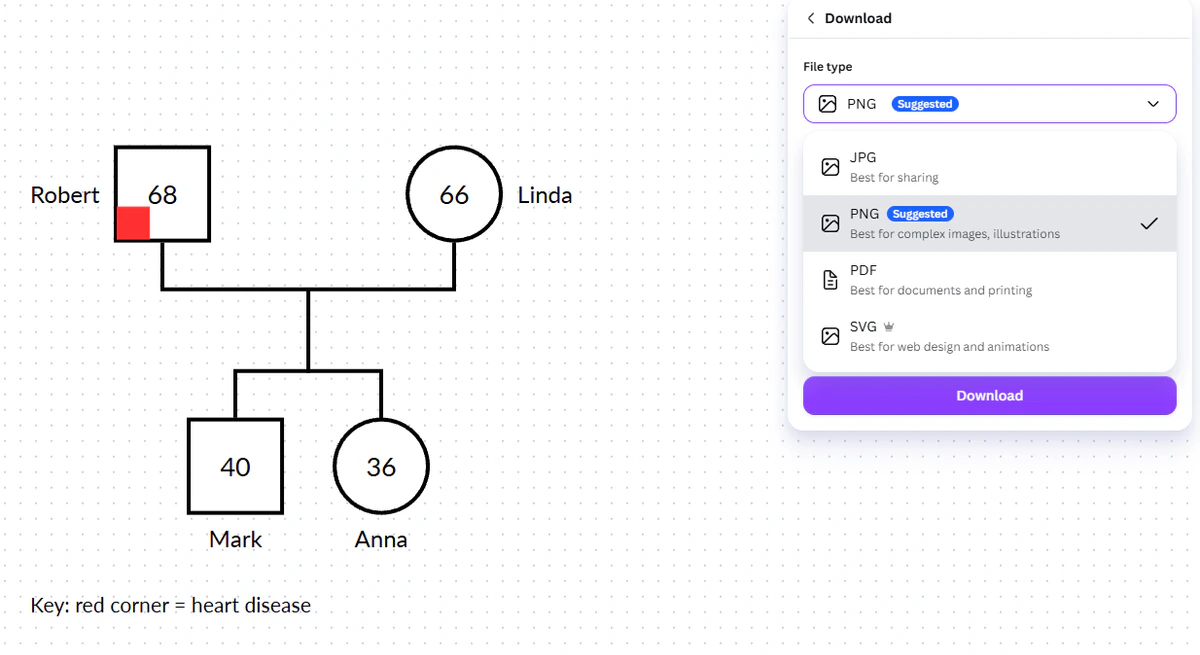
Select a line and use the stroke style menu to make it dashed or dotted, for example a dashed partner line for a couple who live together without marrying. Canva documents no medical condition markers, so lay a small colored shape over part of a person's symbol for each condition you need to show.
Add a key and download
Add a text box as a key, with a line for every color and line style you used. Then open Share, select Download, and choose PNG, JPG or PDF.
Using a Canva genogram template
Canva's genogram page has eight free whiteboard templates, with names such as Ancestral Portrait Family Tree Whiteboard, Hourglass Family Tree Whiteboard and Descendant Waterfall Family Tree Whiteboard. All eight are named as family trees rather than genograms.
Start from a template if you like its layout and colors, but plan to replace each relative with a square or circle and redraw the lines as genogram partner and child lines.
Source: Canva's genogram page
The same family in both tools
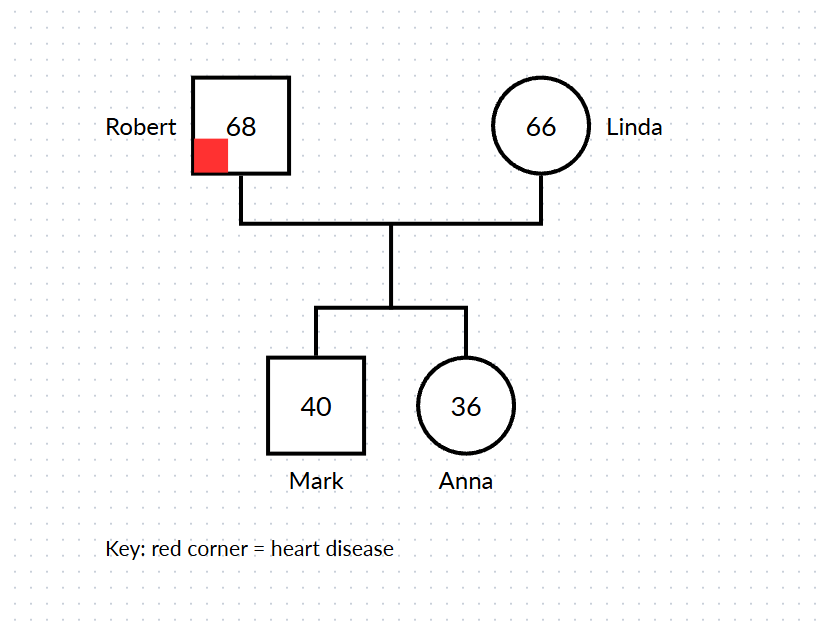
Canva
Robert and Linda with their children Mark and Anna, drawn from outlined shapes and elbowed lines. Robert's heart disease is a red corner on his square, explained in a text box key.
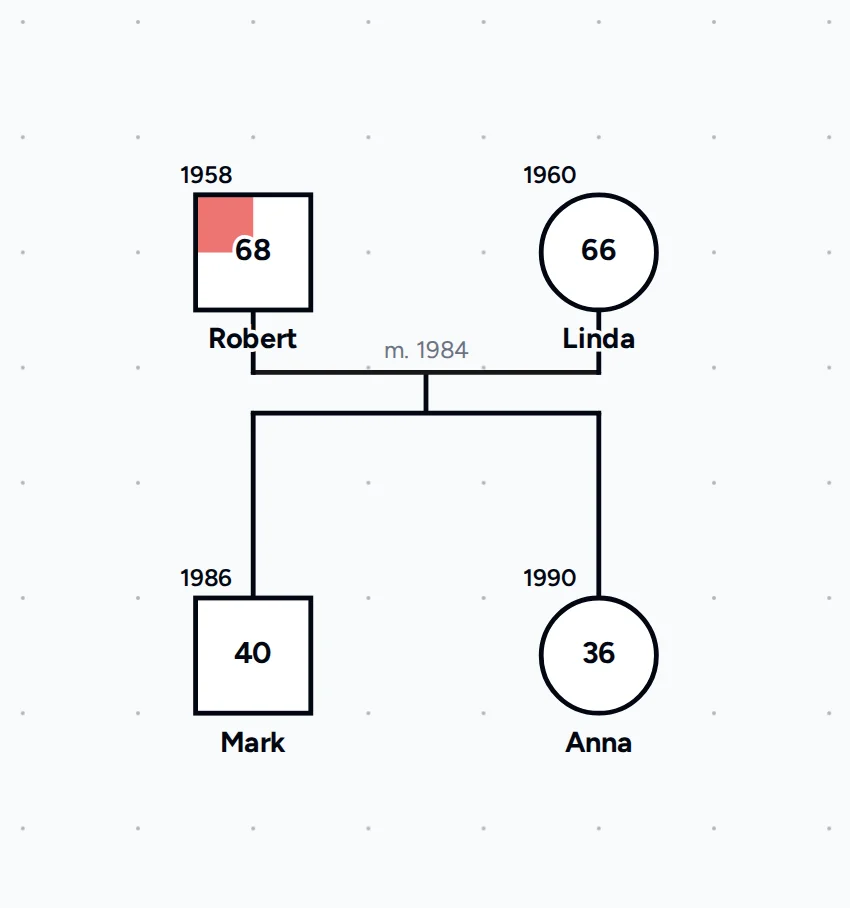
Genogram Pro
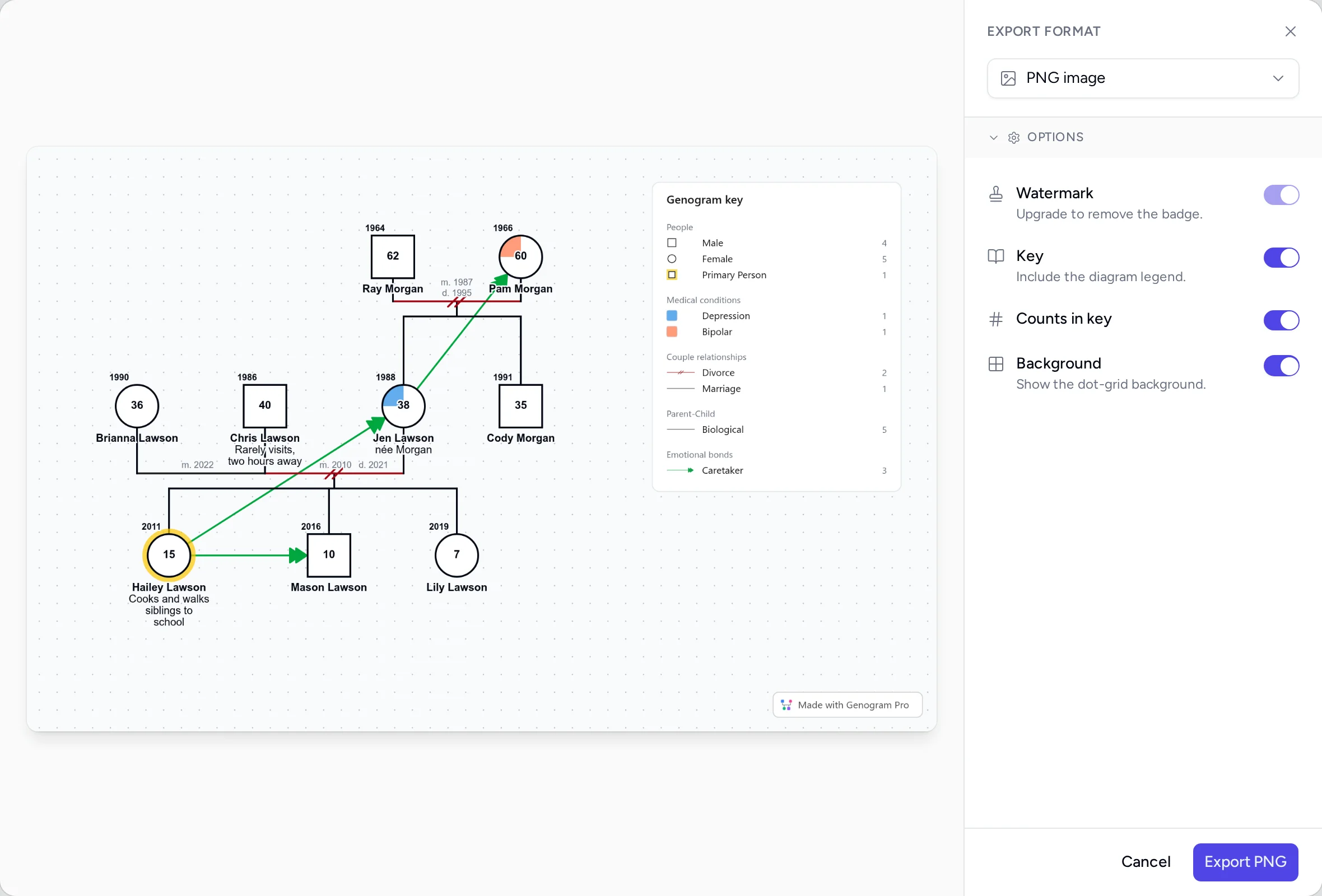
The same four people in Genogram Pro, with birth years, ages and the 1984 marriage year shown. Robert's heart disease is the built-in cardiovascular condition, drawn as a red quarter of his square.
Which to use
Genogram Pro
Choose Genogram Pro if you need standard genogram symbols, emotional relationship lines and medical conditions without drawing each one, and a key built from the symbols on the genogram.
Canva
Choose Canva if the genogram is one slide in a presentation or poster you are already designing there, or if you want a decorative family tree where genogram notation does not matter.
How Canva and Genogram Pro compare
Each Canva detail has a link to the Canva page it was taken from, and "Not documented" means we found no mention of the feature on Canva's site.
| Genogram Pro | Canva | |
|---|---|---|
| Genogram symbols | McGoldrick and Gerson notation, with 25 couple line types and 4 parent-child line types | Not documented |
| Emotional relationship lines | 39 bond line types, such as close, fused, hostile and cutoff | Not documented |
| Medical conditions | 16 built-in conditions plus your own, each with a color and an onset date | Not documented |
| Households | Households drawn around their members, with a label and color | Not documented |
| Ecomap of the same family | In the same file as the genogram on the Professional plan, or on its own in the free ecomap maker | Not documented |
| AI from a text description | On the Professional plan and its 7-day trial, you can draft or edit a genogram with the AI assistant from typed notes or a photo of a paper genogram | Up to 20 AI uses on the Free plan, with no genogram drafting documentedcanva.com/pricing |
| Auto-arrange | Every generation is laid out in one click | Not documented |
| GEDCOM | Import and export on the Professional plan, with 23 fact types such as occupation, education and residence | Not documented |
| PDF and PNG export | PNG and PDF, with an optional key of the symbols used. Free editor exports have a small badge, which can be removed on the Professional plan | PDF, JPG and PNGcanva.com/pricing |
| Where it runs | In a web browser on Mac, Windows, Linux and Chromebook, with nothing to install | Desktop and mobilecanva.com/graphs/genograms |
| Free option | The free genogram maker needs no account, and genograms made in it are saved in your browser | Free plan with 5GB of cloud storage and Canva Offlinecanva.com/pricing |
| Price | $9.99 a month billed annually, or $14.99 billed monthly, after a 7-day free trial | The Pro plan is US$144 a year for one personcanva.com/pricing |
| How client data is protected | Genograms saved to an account are encrypted end to end with a master password only you know | Not documented |
Every symbol is drawn by hand in Canva
Canva's shapes are general shapes, so a pregnancy, an adoption, a pair of twins or a cutoff has to be composed from shapes and lines, and keeping them consistent across the family is up to you. Canva documents no way to link shapes as parents, partners or siblings, so adding a child or a second marriage means moving the people around them by hand.
In Genogram Pro, each person, couple line and child line is a genogram symbol, and when you add a relative from the toolbar, the connecting line is drawn for you.
Keeping the key and client details in Canva
A genogram key has an entry for every symbol, color and line, and in Canva you update the text box yourself whenever the diagram changes. In Genogram Pro, the key in a PNG or PDF export is built from the symbols and lines on the genogram, so there is no separate text box to update.
A family history is sensitive health information, and Canva is a general design platform, so check your agency's rules before you put identifying details on a Canva board. Genograms you save to a Genogram Pro account are encrypted end to end with a master password only you know.
Drawing a genogram in Genogram Pro
A couple line can be a marriage, a divorce, a cohabitation or any other of the 25 couple types, and a child line is drawn for a biological, adopted or foster child, all in McGoldrick and Gerson notation.
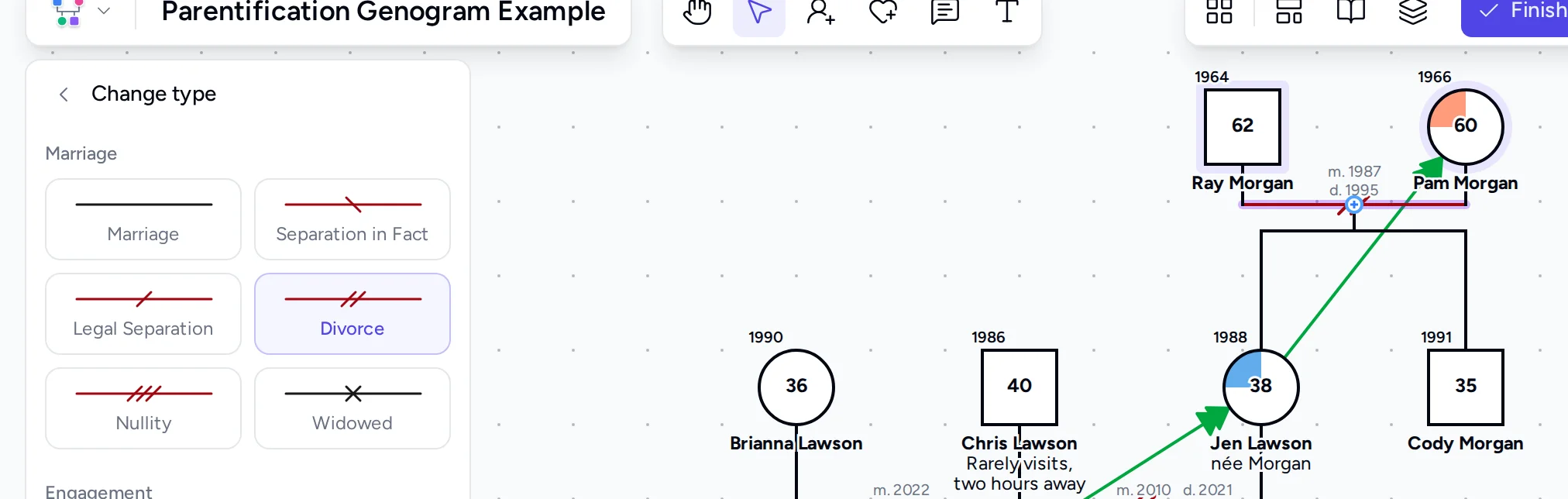
There are 39 bond line types for closeness, conflict, cutoff, caretaking and other patterns, and each color-coded condition is drawn as a filled section of the person's symbol.
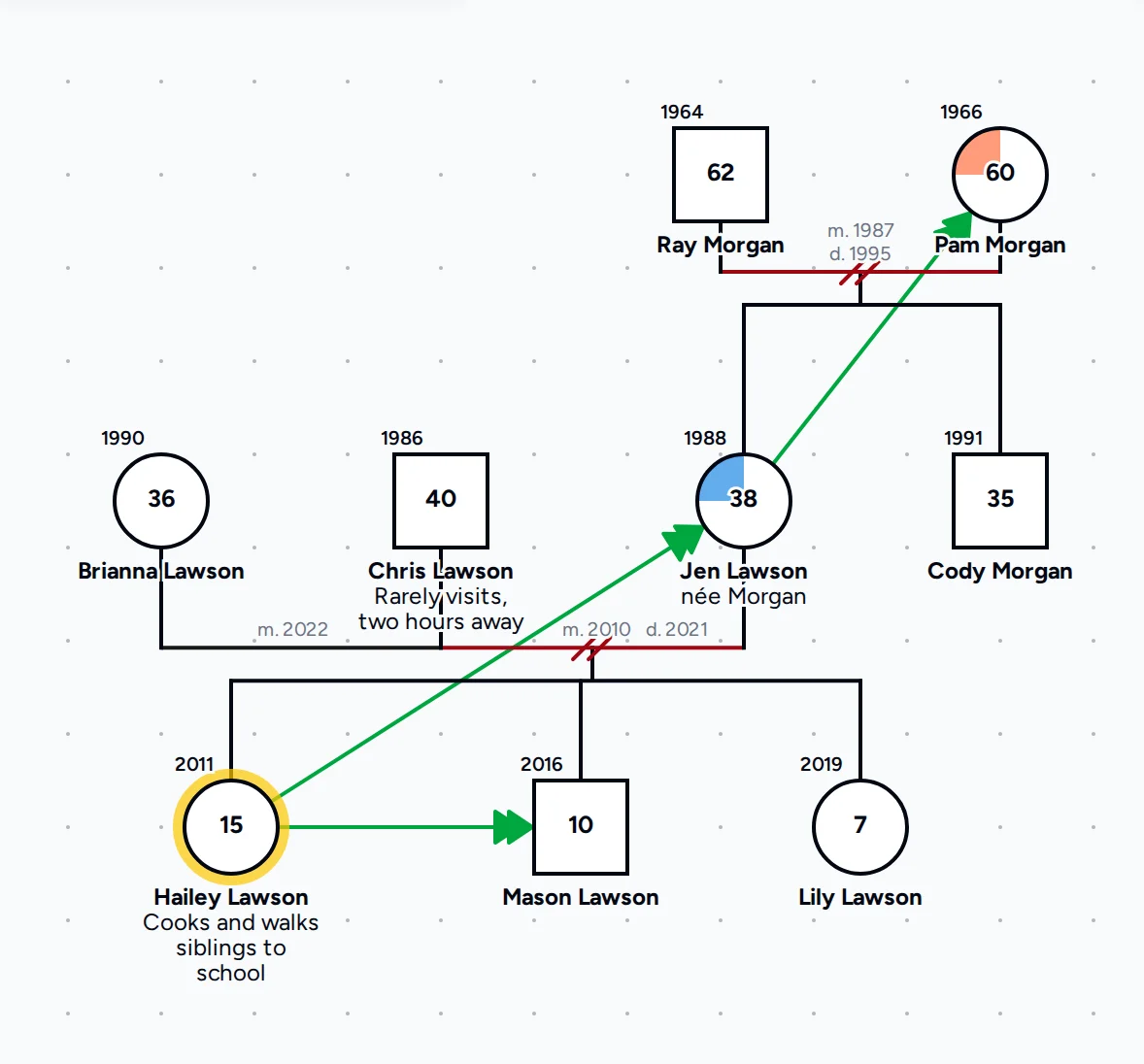
A PNG or PDF export can include a key of only the symbols and lines on the genogram, so a reader can follow the notation without a separate legend.
Questions people ask
Can you make a genogram in Canva?
Yes. On a Canva whiteboard you can build a genogram from squares, circles and connector lines, but Canva documents no genogram symbols, so you draw every symbol, relationship line and key entry by hand.
Does Canva have a genogram template?
Canva's genogram page has eight free whiteboard templates, all named as family trees, such as Hourglass Family Tree Whiteboard. None is documented as using genogram notation, so expect to redraw most of a template.
Does Canva have genogram symbols?
Canva documents no genogram symbols, so the squares, circles, condition markings and emotional relationship lines of a genogram are built from general shapes and lines.
Is Canva free for genograms?
Canva has a Free plan with 5GB of cloud storage, and Canva Pro is US$144 a year for one person. Genogram Pro's free genogram maker needs no account, and the Professional plan is $9.99 a month billed annually after a 7-day free trial.
What is a faster way to make a genogram than Canva?
A dedicated genogram maker. In Genogram Pro's free genogram maker, the standard symbol and line are drawn when you add a partner or a child, the generations are laid out in one click, and an export can include a key of the symbols and lines you used.
Try both on the same family
Draw the same family in the free editor and in the tool you use today, then keep using the one whose genogram is easier to read.