
Genogram Pro vs EdrawMax
EdrawMax is diagramming software for more than 210 diagram types, with six genogram templates, sold by the year or as a perpetual plan. Genogram Pro is a genogram editor with standard symbols, 39 emotional bond types, medical conditions and one-click auto-arrange.
Updated October 2026Competitor details from edrawmax.wondershare.com, checked on October 22, 2026
Which to use
Genogram Pro
Choose Genogram Pro if genograms are your main work and you want McGoldrick and Gerson notation, emotional bonds, medical conditions, auto-arrange and, on the Professional plan, exports without a badge.
EdrawMax
Choose EdrawMax if you need one program for more than 210 diagram types, want a perpetual plan, or need a desktop app on Windows, Mac or Linux.
How EdrawMax and Genogram Pro compare
Each EdrawMax detail has a link to the EdrawMax page it was taken from, and "Not documented" means we found no mention of the feature on EdrawMax's site.
| Genogram Pro | EdrawMax | |
|---|---|---|
| Genogram symbols | McGoldrick and Gerson notation, with 25 couple line types and 4 parent-child line types | Six genogram templates, with family, relationship, emotional and medical genogram examplesedrawmax.wondershare.com/diagram/genogram-maker.html |
| Emotional relationship lines | 39 bond line types, such as close, fused, hostile and cutoff | Not documented |
| Medical conditions | 16 built-in conditions plus your own, each with a color and an onset date | Not documented |
| Households | Households drawn around their members, with a label and color | Not documented |
| Ecomap of the same family | In the same file as the genogram on the Professional plan, or on its own in the free ecomap maker | Not documented |
| AI from a text description | On the Professional plan and its 7-day trial, you can draft or edit a genogram with the AI assistant from typed notes or a photo of a paper genogram | 500 AI tokens on the Free plan, and unlimited tokens on paid plansedrawmax.wondershare.com/store/individuals.html |
| Auto-arrange | Every generation is laid out in one click | Not documented |
| GEDCOM | Import and export on the Professional plan, with 23 fact types such as occupation, education and residence | Not documented |
| PDF and PNG export | PNG and PDF, with an optional key of the symbols used. Free editor exports have a small badge, which can be removed on the Professional plan | PDF, with a default watermark on the Free planedrawmax.wondershare.com/store/individuals.html |
| Where it runs | In a web browser on Mac, Windows, Linux and Chromebook, with nothing to install | Windows, Mac, Linux and the webedrawmax.wondershare.com/diagram/genogram-maker.html |
| Free option | The free genogram maker needs no account, and genograms made in it are saved in your browser | Up to 60 shapes per general diagram or 120 per specific diagram, with watermarked PDFsedrawmax.wondershare.com/store/individuals.html |
| Price | $9.99 a month billed annually, or $14.99 billed monthly, after a 7-day free trial | US$99 a year, or US$198 for the perpetual planedrawmax.wondershare.com/store/individuals.html |
| How client data is protected | Genograms saved to an account are encrypted end to end with a master password only you know | Not documented |
What EdrawMax has for genograms
EdrawMax has more than 210 diagram types. Its genogram page has six genogram templates and examples of family, relationship, emotional and medical genograms, and EdrawMax documents no symbol list, relationship type count, auto-arrange, medical condition records or GEDCOM.
Genogram Pro has 25 couple types, 39 emotional bonds and 4 parent-child types. A family is laid out by generation in one click, and GEDCOM import and export are included on the Professional plan.
Sources: EdrawMax home page and EdrawMax's genogram page
What EdrawMax's free and paid plans include
On EdrawMax's Free plan, a general diagram is limited to 60 shapes and a specific diagram to 120, and PDFs have a default watermark. The paid plans are US$99 a year or US$198 for a perpetual plan, and the annual plan includes access on 3 computers, 3 mobile devices and EdrawMax Online.
Exports from Genogram Pro's free genogram maker have a small badge. The Professional plan is $9.99 a month billed annually after a 7-day free trial, and the badge can be removed from exports.
Source: EdrawMax store
Drawing a genogram in Genogram Pro
A couple line can be a marriage, a divorce, a cohabitation or any other of the 25 couple types, and a child line is drawn for a biological, adopted or foster child, all in McGoldrick and Gerson notation.
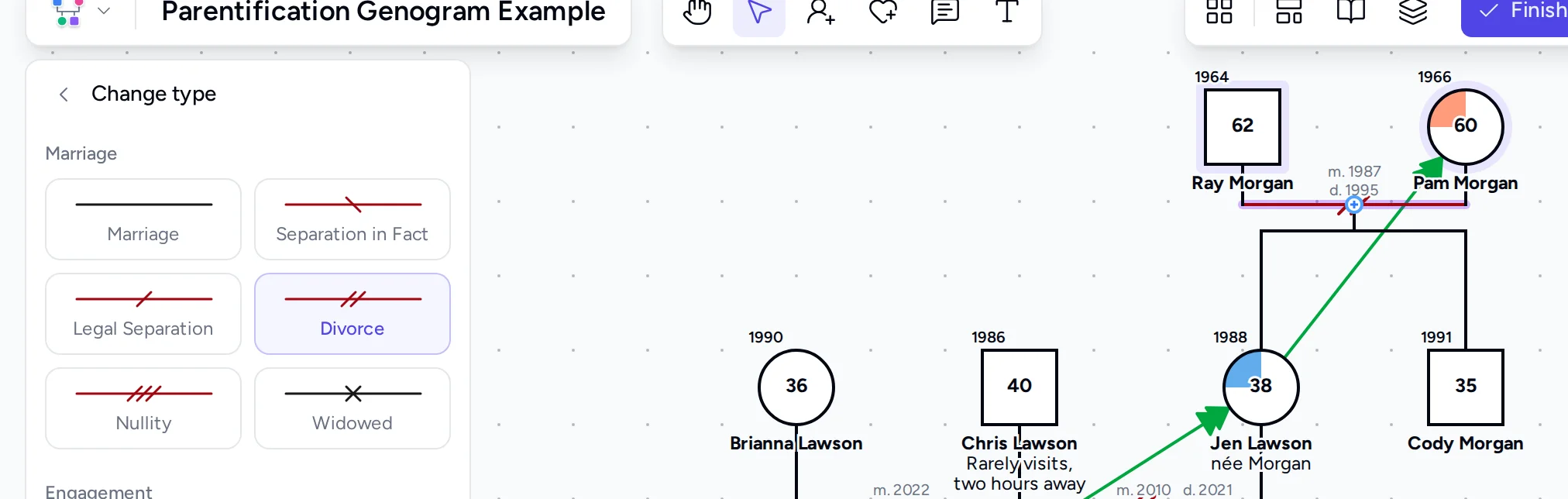
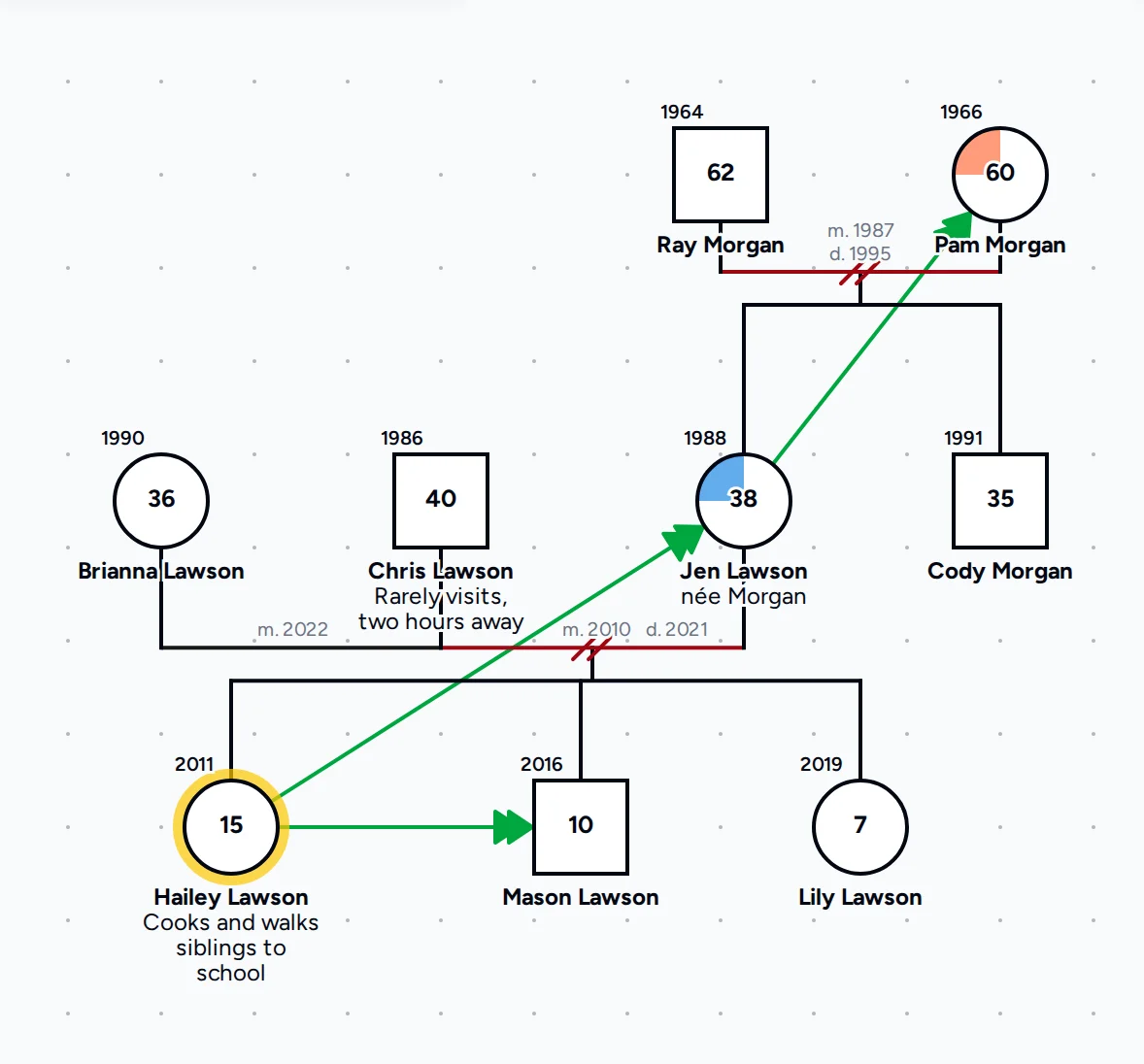
There are 39 bond line types for closeness, conflict, cutoff, caretaking and other patterns, and each color-coded condition is drawn as a filled section of the person's symbol.
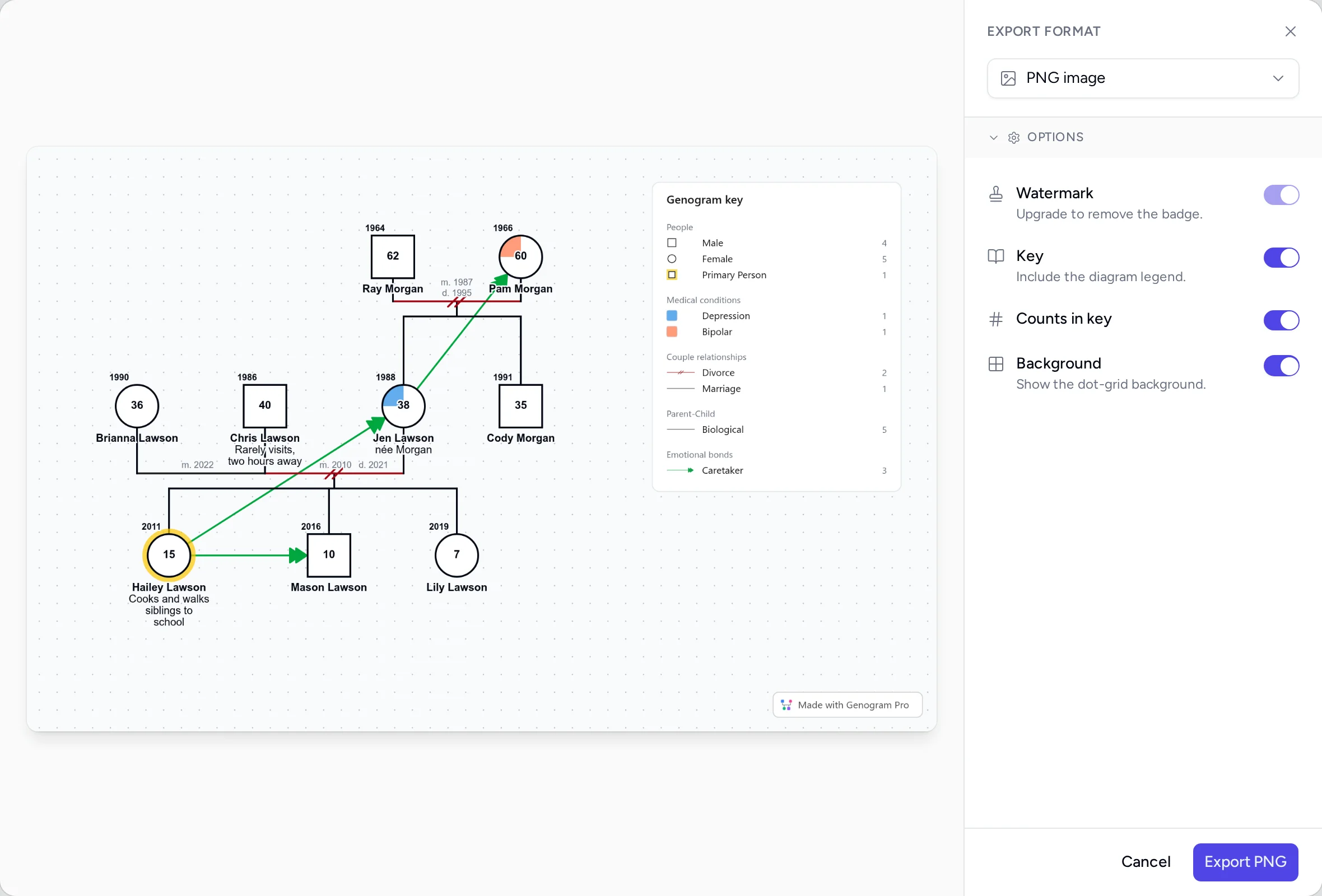
A PNG or PDF export can include a key of only the symbols and lines on the genogram, so a reader can follow the notation without a separate legend.
Questions people ask
Can you make genograms in EdrawMax?
Yes. EdrawMax has six genogram templates and examples of family, relationship, emotional and medical genograms. EdrawMax documents no symbol list, auto-arrange, medical condition records or GEDCOM.
Are EdrawMax free exports watermarked?
Yes. On the Free plan, PDF exports have a default watermark, and a general diagram is limited to 60 shapes. In Genogram Pro, exports from the free genogram maker have a small badge, which can be removed on the Professional plan.
Does EdrawMax work on mobile?
Yes. EdrawMax lists apps for mobile, and its annual plan includes access on 3 computers, 3 mobile devices and EdrawMax Online. Genogram Pro runs in a web browser on Mac, Windows, Linux and Chromebook.
Is EdrawMax a one-time purchase?
EdrawMax has a perpetual plan at US$198 and an annual plan at US$99 a year. Genogram Pro's Professional plan is $9.99 a month billed annually, or $14.99 billed monthly, after a 7-day free trial.
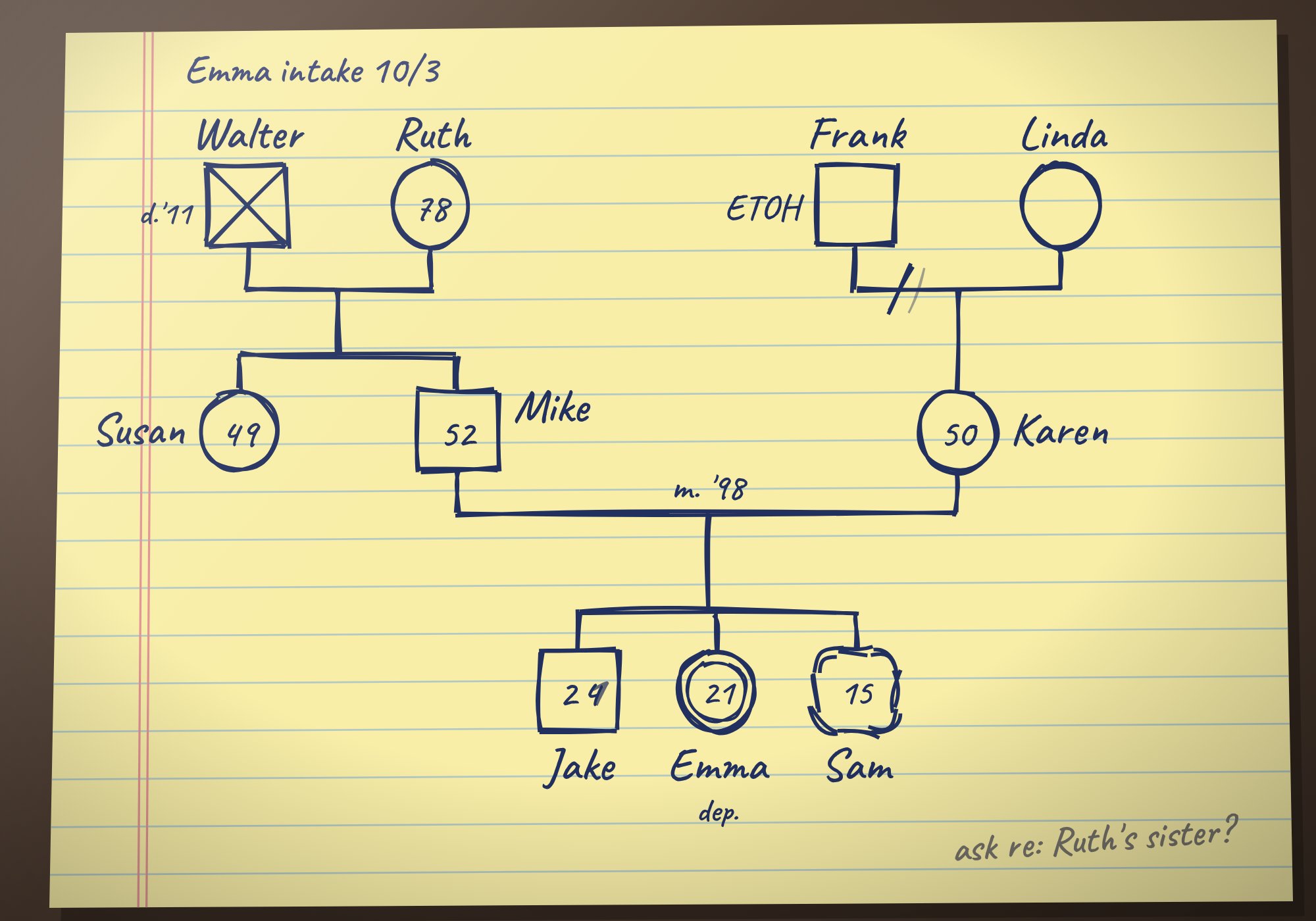
Try both on the same family
Draw the same family in the free editor and in the tool you use today, then keep using the one whose genogram is easier to read.