
Table of Contents
Annotated genogram example: how to use clinical notes on a genogram
The genogram captures structure and patterns. Annotations capture context: the clinical observations, medical details, session quotes, and behavioral notes that give the patterns meaning. A well-annotated genogram is a clinical record that grows more valuable with every session.
Last updated March 2026 · Based on McGoldrick et al., Genograms: Assessment and Treatment (4th ed., 2020)
This example is designed to illustrate how to create and read genograms. It is not intended as clinical guidance.
Notes attached to individual family members record facts about that person. Notes placed on the canvas between members record observations about relationships, timing, or system-level dynamics.
Use as TemplateWhat to annotate: the four categories
Clinical annotations on a genogram fall into four categories. Medical annotations record diagnoses, medications, hospitalizations, and health conditions. Behavioral annotations record patterns like substance use, eating behaviors, work habits, or relational styles. Observational annotations capture the clinician's impressions: what was noticed in session, how a client's affect changed when discussing a particular family member, or body language that contradicted verbal reports. Verbatim annotations preserve the client's exact words, direct quotes that capture something a paraphrase would lose.
Not every piece of information belongs on the genogram. Annotations should be clinically relevant, meaning they aid assessment, inform treatment, or would be useful if the case were transferred to another clinician. A good test: would another practitioner reading this genogram understand the family system without reviewing session notes?
Questions to explore:
- Which category of annotation is most relevant for the presenting concern?
- What clinical questions remain unanswered that could be addressed by targeted annotation?
- Are there strengths or resilience factors that should be annotated alongside the problems?
Annotate a genogram yourself
Open the free editor to attach clinical notes to people and place observations on the canvas.
try the free editorWhere to place notes: person-attached vs. canvas
Genogram annotations live in two locations, and the distinction matters. Person-attached notes are linked to a specific family member. They travel with that person if the genogram is reorganized and describe something about the individual: a diagnosis, a behavior, a quote, or a significant date. Canvas notes are placed freely on the genogram space, not linked to any individual, and describe something about the system: a dynamic between two people, a generational observation, or a timeline marker.
Misplacing annotations creates confusion. A note about marital discord placed on one partner implies individual pathology. The same note placed on the canvas between both partners communicates a relational dynamic. A medical diagnosis belongs on the individual. An observation about how two siblings react differently to a parent's illness belongs on the canvas, positioned near the relevant relationship lines.
Questions to explore:
- Is there a relationship dynamic that is described only through person-attached notes when it should be a canvas-level observation?
- Do the canvas notes tell a coherent story about the family system when read separately from individual notes?
- Which family strengths deserve their own annotations?
Annotation etiquette: factual language and dating observations
Annotations are clinical records. They may be read by other practitioners, supervisors, or the clients themselves. This demands factual, nonjudgmental language. "Client reports frequent arguments with spouse" is appropriate. "Toxic marriage" is not. "History of alcohol use, reported 6+ drinks daily" is appropriate. "Alcoholic" without context is a label, not a clinical note.
Dating every observation matters equally. A genogram that records "marital discord" without a date offers no information about trajectory. A genogram that records "marital discord noted 3/2024; improved communication reported 9/2024" shows change over time. Undated annotations create a static portrait of a dynamic system. Dated annotations create a longitudinal record that tracks progress, regression, and change. Add new annotations with current dates after each session rather than overwriting old ones. The genogram becomes a clinical timeline that captures the trajectory of treatment.
Questions to explore:
- Are all annotations dated, and can the chronological sequence be reconstructed from them?
- Would another clinician reading these annotations understand the family system without additional context?
- Do the annotations reflect positive changes and coping as well as problems?
Handling sensitive information and confidentiality
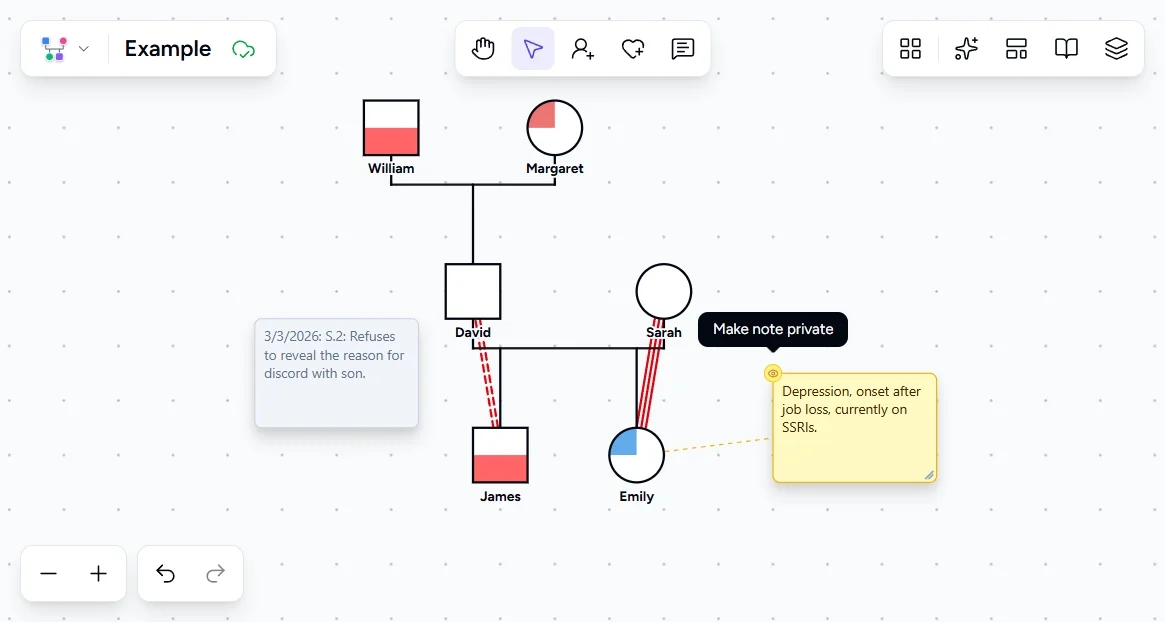
Some notes contain sensitive information: disclosures of abuse, substance use, legal issues, or family secrets. Not every piece of clinical information belongs on a shared genogram. You can mark any note as private by clicking the eye icon on the note. Private notes appear grayed out in the editor and are excluded from exports. You can share the genogram without exposing confidential observations.
Questions to explore:
- Is there information on the genogram that the client would not want shared with other providers?
- Are there notes that should be marked private before exporting or sharing?
- Has the client's consent process addressed how strengths and sensitive information will each be handled?
How to build this in Genogram Pro
Attach a note to a family member
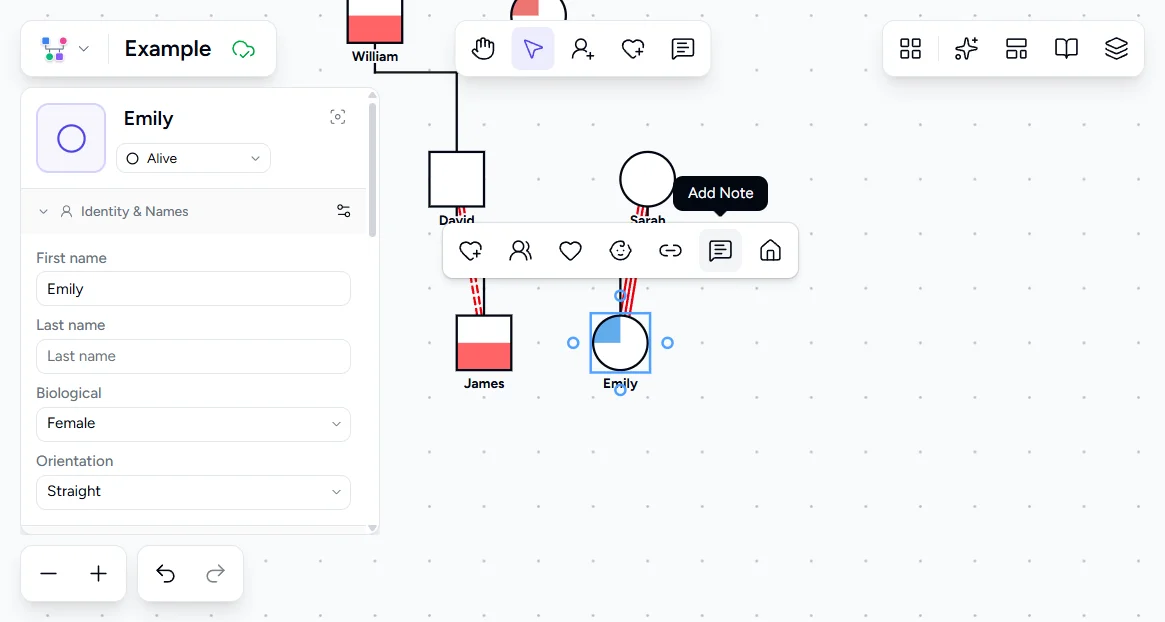
Select a person, then click the Note button in the toolbar that appears above them. A yellow note box appears connected to that person. Type your annotation: a clinical observation, diagnosis, or anything that adds context to that individual.
Place a freestanding note on the canvas
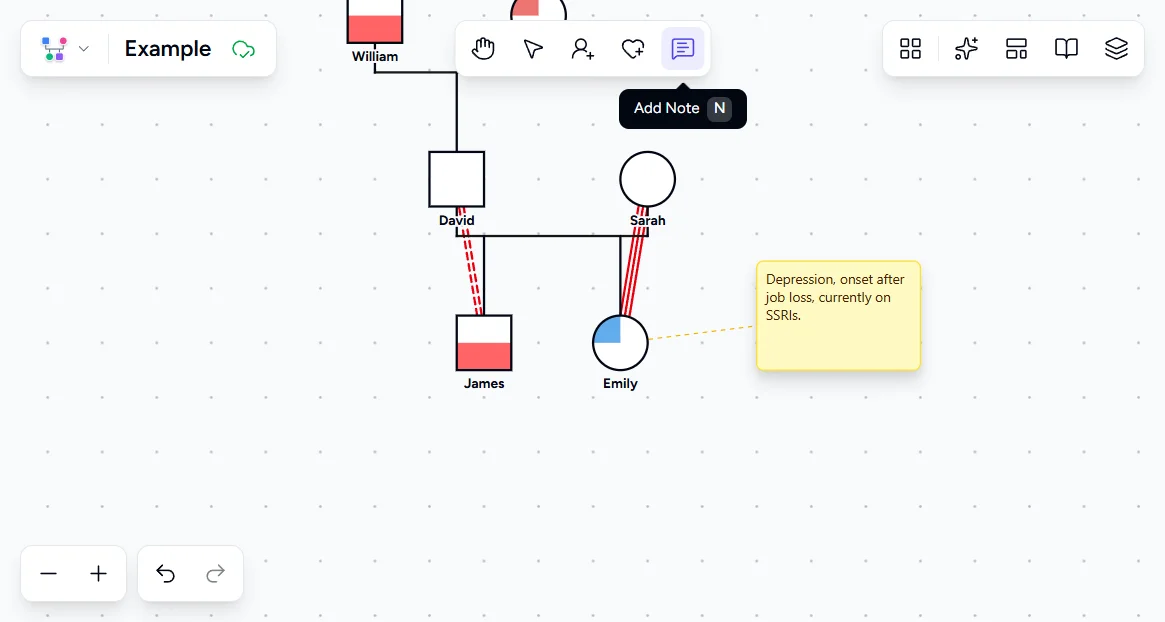
Select the Note tool from the main toolbar, then click anywhere on the canvas. Freestanding notes are not attached to any person. Position them near bond lines or between family members to annotate relational patterns, system-level dynamics, or session observations.
Mark a note as private
Click any note to select it, then click the eye icon to mark it as private. Private notes appear grayed out on the canvas and are excluded from exports and shares. Use this for sensitive clinical observations that should not appear in shared records.
Toggle note visibility in the Views panel
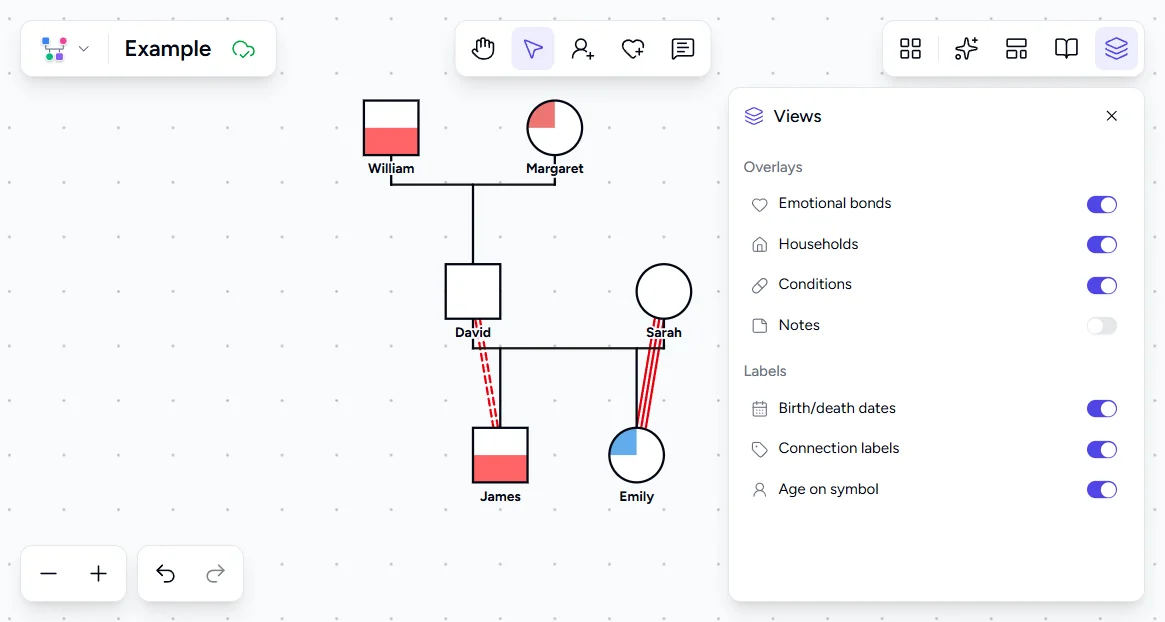
Open the Views panel from the right sidebar to show or hide all notes at once. This lets you switch between an annotated working view and a clean presentation view without deleting any notes.
Review the annotated genogram
Zoom out to see the full genogram with all notes visible. Person-attached notes stay connected to their family member as you pan and zoom. Check that annotations are positioned where they provide the most context and that sensitive notes are marked private before sharing.

Clinical context
Clinical annotation practices in genogram work draw from the broader tradition of medical and psychosocial documentation. The goal is the same as in any clinical record: capture information that supports assessment, treatment planning, and continuity of care. The genogram's advantage is that annotations are spatially organized, attached to the people and relationships they describe, rather than buried in linear narrative notes.
A genogram generates hypotheses for further exploration, not conclusions. The patterns it shows are starting points for clinical questions, not diagnostic endpoints. McGoldrick and Gerson's framework for genogram annotation stresses that the genogram should tell the family's story to any trained reader. Annotations must be clear, dated, and factual. Ambiguous notes ("difficult relationship") should be replaced with specific observations ("client reports weekly arguments about finances, noted 3/2024"). The specificity makes the genogram a reliable clinical tool rather than an impressionistic sketch.
Ethical considerations around genogram annotation parallel those in all clinical documentation. Informed consent should address how the genogram will be used, who will have access, and whether the client can request modifications. In training contexts, genograms of real families must be de-identified. In clinical contexts, they are part of the medical record and subject to the same privacy protections as any other documentation.
Frequently Asked Questions
Should I annotate the genogram during the session or afterward?
How much annotation is too much?
Should clients see the annotations on their genogram?
What if a client disputes an annotation?
Can annotations be imported from session notes?
Ready to Create Your Own Genogram?
Build professional genograms online with standard notation, AI-powered generation, and end-to-end encryption.