
The AI assistant
Describe a family in plain language and the assistant builds the genogram for you, then keeps refining it as you chat.
Open the assistant
Select AI assistant at the right end of the header to open the chat. It sits beside the canvas, so you watch the diagram update as the assistant works, and it stays open while you move between the tabs of a document.
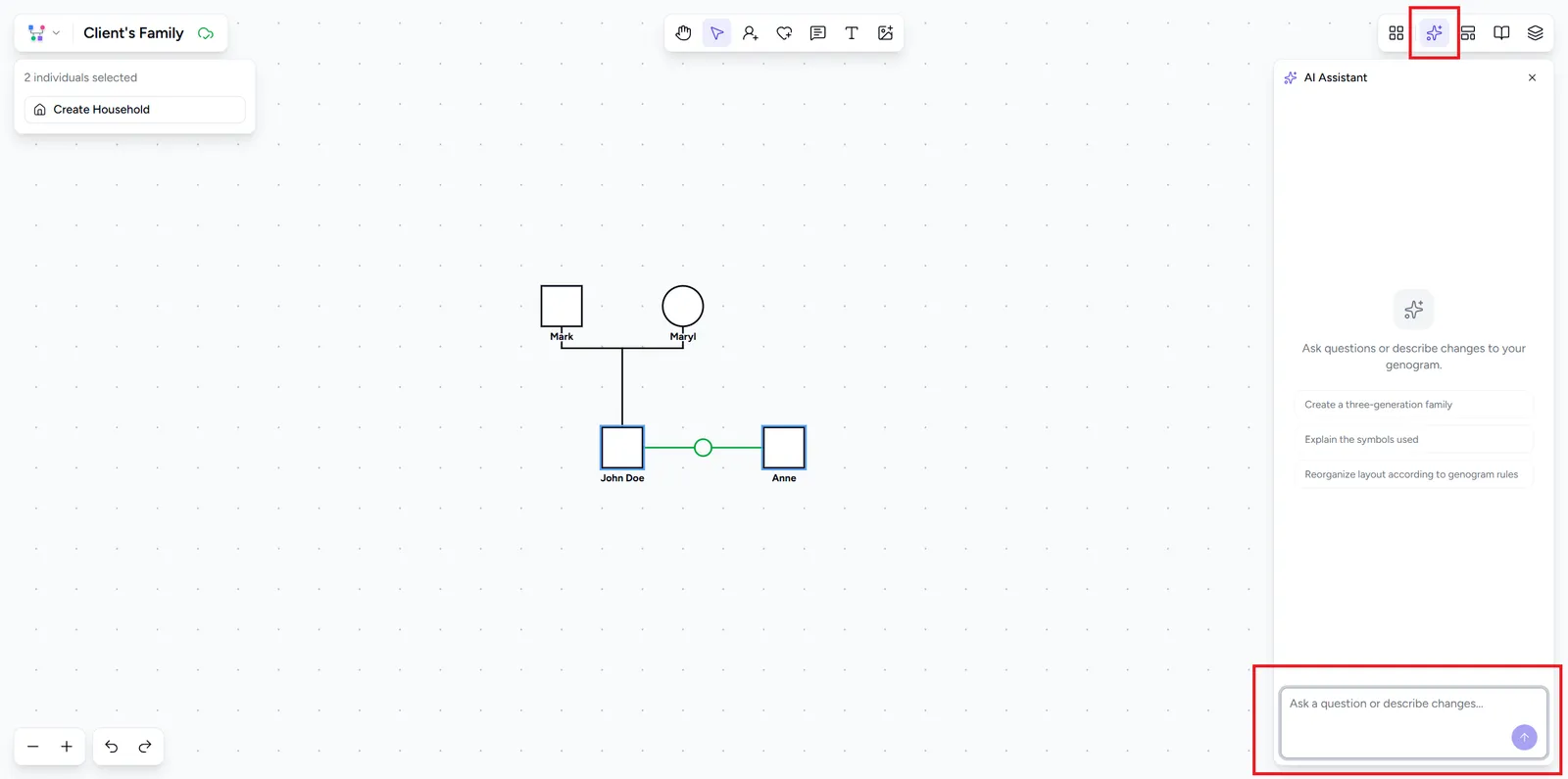
Describe your family
Type a description of the family and send it. The assistant adds the people, connects them, and sets details such as gender, dates, and relationships. For example:
Refine the result
The chat keeps its context, so you can refine step by step: add a grandparent, mark someone deceased, record a condition, or change a relationship. Each message builds on the diagram so far, and the assistant won’t wipe your work unless you tell it to start fresh. The clear button resets the conversation.
Ecomaps in the same chat
One assistant serves the whole document, the genogram and every ecomap. It knows which tab you are looking at and which others exist, so you can ask for a change on any of them without switching, or ask it to create an ecomap for someone in the genogram, for example “make an ecomap for Sarah with her work and her school”. Each message is one step in the undo history, however many tabs it changed, and its summary in the chat names the tabs it touched.
Tips for good results
- Give names and relationships explicitly (“Mary is John’s mother”) rather than leaving them implied.
- Build up in stages: start with the core family, then add detail in follow-up messages.
- Mention specifics you want recorded, such as birth years, a death, or a condition, and the assistant fills in the matching fields.
- Treat the result as a starting point. The assistant builds the structure, and you refine the details in the editor.